Preview




Description
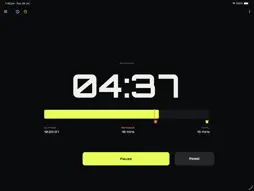
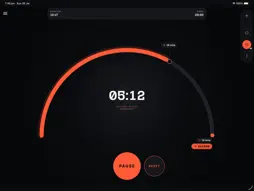
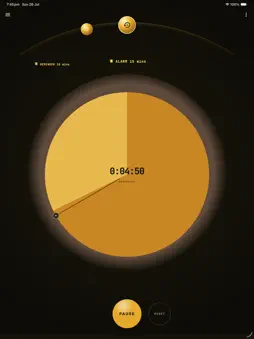
Melon Timer — What's New in v1.1.2 Welcome to the first release of Melon Timer, a flexible timer app designed for focus, fitness, and flow. MULTIPLE TIMERS Run multiple independent timers side by side using a simple tabbed workspace. Add as many tabs as you need, rename each one, and switch between them without interruption. 7 TIMER TYPES Melon Timer — Signature interval timer with customisable work and rest cycles Countdown — Simple count-down from any duration Tomato Clock — Pomodoro-style 25/5 focus sessions Stopwatch — Lap-enabled stopwatch with split tracking Alarm — Set a one-time or recurring alarm at a specific time Flow Timer — Open-ended focus session with soft elapsed time tracking Workout Timer — Structured set, rep, and rest cycle timer for training ALARM & REMINDER SOUNDS Choose from a list of built-in system sounds for each timer. Preview sounds before selecting. Set a different alarm sound per timer tab, and configure interval reminder sounds separately from the alarm trigger. MUTE WITH HARDWARE BUTTONS Silence a firing alarm instantly without unlocking your phone. Press the Volume Down button or the Power button once to mute the active alarm directly from the lock screen. PER-TIMER SETTINGS Each timer tab can be configured independently: - Custom name - Alarm and reminder sound - Keep screen on toggle - Timer type SETTINGS - Default timer type for new tabs - Global alarm sound - Keep screen on - Light, Dark, or System theme - Notification permissions FEEDBACK Use the in-app Feedback option to send bug reports or feature suggestions directly to the team. We're just getting started. Desktop support is on the roadmap. If you enjoy Melon Timer, please leave a review — it helps a lot.
What's New
Version 1.1.4 2026-08-01
WHAT'S NEW IN 1.1.4: IPAD & LANDSCAPE SUPPORT Melon Timer is now fully optimized for iPad screens and supports landscape orientation on your phone. Plus, perso... Technical Analysis
Package Overview Basic metadata
Bundle ID
com.mikeapp.timer.kmp-exercise-timer Current Version 1.1.4
Minimum iOS 15.3
Package Size App Store Size
Package Metadata 0 / 2 version records
Detailed binary, privacy manifest, framework, and Info.plist results have not been indexed for this package yet. The verified App Store and archive metadata above remains available.
Known Version Records
0 version records with stored package metadata • 2 known version records
Stored metadata does not guarantee a package is currently available to download.
| Details | Version / IDs | Version date | Action |
|---|---|---|---|
| Not archived | App Store ID: 884937388 | Unknown | Request Version |
| Not archived | App Store ID: 884086587 | Unknown | Request Version |