Preview


Description
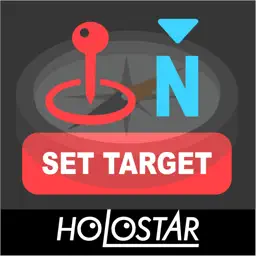
This app intuitively shows the direction you're facing on your Apple Watch and helps you easily navigate toward your destination. When used in combination with Holostar (https://ho-lo.jp/lp-holostar/), it displays your current direction at the edge of your field of view, just like AR glasses or smart glasses, providing a more convenient and advanced AR navigation experience. If you have a specific destination in mind, simply press the “SET TARGET” button to set your current direction as the destination. The app will then display your current orientation along with the direction of your destination. Since it requires minimal input, you can skip the steps of setting detailed routes to your destination and use simple, easy-to-use navigation. Since it can be used exclusively with an Apple Watch (no complex setup required on an iPhone or iPad) and does not require complicated operations, this app is ideal for use with Holostar. Additionally, by not displaying detailed route information, the app can adapt more flexibly when the actual path you can take differs from the detailed navigation route—such as when affected by road construction or when passing through the interior of buildings, including underground areas. By switching the time display settings on your iPhone, you can navigate toward your destination while keeping track of travel time and arrival time, or simply move while focusing on the direction. *The app supports right-eye and left-eye display on Holostar based on your Apple Watch’s right-hand or left-hand wear settings. Set it to the right hand for right-eye use, and to the left hand for left-eye use. *You cannot experience AR without using Holostar. *With standard compass apps, due to display methods and Apple Watch orientation settings, you cannot achieve an AR navigation experience that directly aligns the displayed direction with your line of sight even when combined with Holostar.
What's New
Version 1.1.0 2026-10-09
We've added a feature that starts a workout and tracks distance traveled when you set a target. We've added a feature to delete targets. We've added an altitude...We've added a feature that starts a workout and tracks distance traveled when you set a target. We've added a feature to delete targets. We've added an altitude display. We've added a display showing the angle of the direction you're facing. Technical Analysis
Package Overview Basic metadata
Bundle ID
jp.ho-lo.AR-Compass Current Version 1.1.0
Minimum iOS 17.6
Package Size App Store Size
Package Metadata 0 / 1 version records
Detailed binary, privacy manifest, framework, and Info.plist results have not been indexed for this package yet. The verified App Store and archive metadata above remains available.
Developer Information
Known Version Records
0 version records with stored package metadata • 1 known version records
Stored metadata does not guarantee a package is currently available to download.
| Details | Version / IDs | Version date | Action |
|---|---|---|---|
| Not archived | App Store ID: 883615191 | Unknown | Request Version |