Preview


Description
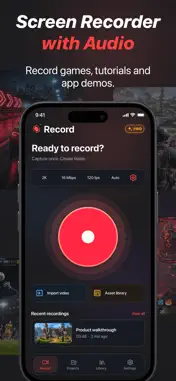
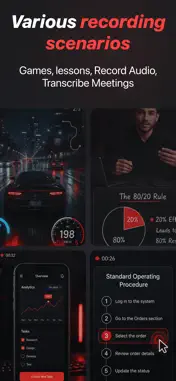
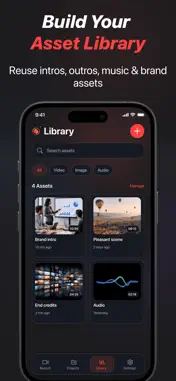
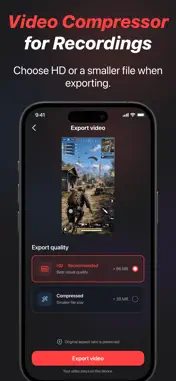
Record your screen. Add your explanation. Make every step easier to follow. Capture gameplay, create tutorials, record lessons, and demonstrate app features in one place. Edit your footage, add face cam commentary after recording, zoom in on key details, and cover sensitive information before sharing. SCREEN RECORDING Capture on-screen activity with app audio and microphone commentary. • Choose recording resolution, frame rate, and bitrate • Set portrait, landscape, or automatic orientation • Pause and resume recording • Open recordings in the editor or import videos from your photo library FACE CAM COMMENTARY & TELEPROMPTER Add a personal explanation to videos you have already recorded. Record yourself on camera and add your commentary alongside the screen content. • Explain tutorial steps or demonstrate a workflow • Add reactions to gameplay highlights • Use the teleprompter to follow your script while recording commentary The teleprompter is a reading aid and does not appear in the exported video. ZOOM & HIGHLIGHT Help viewers follow the details that matter. Zoom in on selected areas and use visual annotations to draw attention to key steps, buttons, or content. MANUAL MOSAIC Apply mosaic masking to selected areas to cover private messages, account details, or other sensitive information. You choose the areas to mask. Review the full video before sharing. VIDEO EDITING & EFFECTS Turn raw footage into a finished video with an intuitive editing timeline. • Trim, split, combine, and rearrange clips • Adjust playback speed • Add transition effects • Adjust brightness, contrast, saturation, and more • Add and edit captions manually, including scrolling text • Record voiceovers and add background music • Adjust audio volume • Add images, stickers, and annotations • Crop the frame and change the aspect ratio • Add text or image watermarks • Choose a video cover EXPORT QUALITY Choose export quality settings to suit your video and sharing needs. Preview your edits, save a draft, or export the finished video to your photo library. Recording and export quality depend on your device, source footage, and selected settings. MEDIA LIBRARY & PROJECTS Keep video, image, and audio assets together for reuse. Search and manage projects, rename drafts, and return to unfinished edits when you are ready. Made for gameplay highlights, step-by-step tutorials, lessons, product demos, and training videos. SUBSCRIPTION INFORMATION Some features require a subscription. Available plans and any eligible trial offers are shown in the app. Payment will be charged to your Apple Account at confirmation of purchase. Subscriptions renew automatically unless cancelled at least 24 hours before the end of the current period. Your account will be charged for renewal within 24 hours before the end of the current period at the price of your selected plan. You can manage or cancel your subscription in your Apple Account subscription settings. Terms of Use: https://screenrecorder.orangeislandlabs.com/legal/terms Privacy Policy: https://screenrecorder.orangeislandlabs.com/legal/privacy FEEDBACK Questions or suggestions? Contact us: [email protected]
What's New
Version 1.9.5 2026-11-11
Optimize performance Fix bugs Technical Analysis
Package Overview Basic metadata
Bundle ID
com.orangeislandlabs.screenrecorder Current Version 1.9.5
Minimum iOS 16.0
Package Size App Store Size
Package Metadata 0 / 0 version records
Detailed binary, privacy manifest, framework, and Info.plist results have not been indexed for this package yet. The verified App Store and archive metadata above remains available.
Developer Information
Known Version Records
0 version records with stored package metadata
Stored metadata does not guarantee a package is currently available to download.
| Details | Version / IDs | Version date | Action |
|---|