
Preview
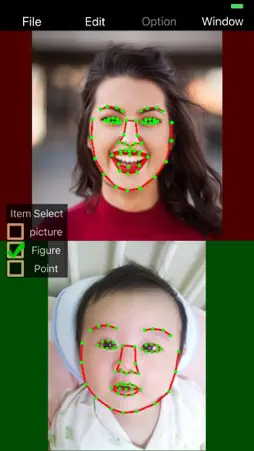

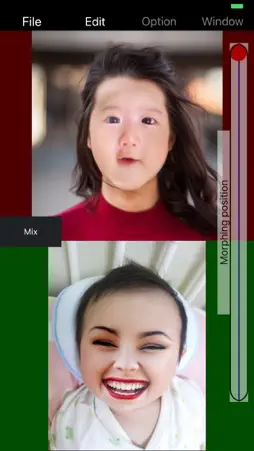
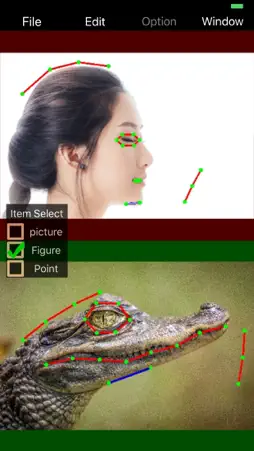
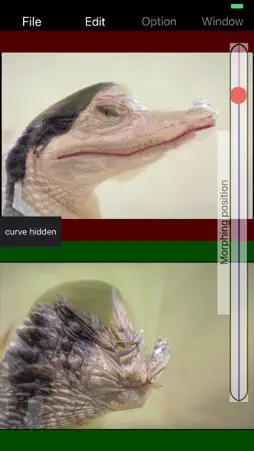




Description
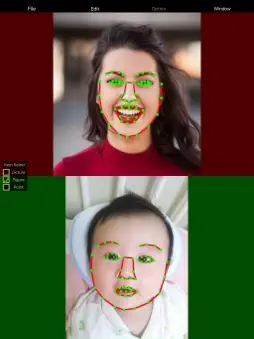
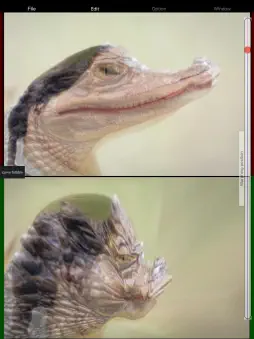
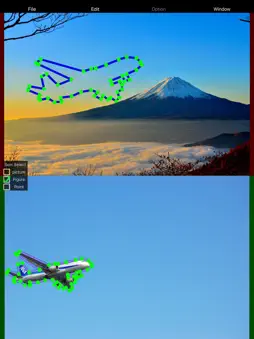
1. Morphing 1 It is a general morphing process. Set control points (Circle, line) to 2 images and combine 2 images while deforming the image to corresponding control points. The composition ratio of the image can be adjusted with the Morphing position slider (from the upper image to the under image). You can adjust the degree of image composition with the setting of the blend curve. In this mode, the change process can be saved to GIF file and MP4 movie file. (Reverse setting is added in Reverse setting) 2. Morphing 2 Partial image composition. Set control points (Circle, line) to 2 images and combine parts (within Circle) of 2 images while deforming the image to corresponding control points. The composition ratio of the image can be adjusted with the Morphing Position slider. The slider does not respond when moving, it only supports touchUP. In this mode, you can save the upper or lower image of the image after change. You can save the change process of the image to video, GIF. Processing takes time depending on the size of the image. 3. Morphing 3 Use the old Morphing2 algorithm. It takes a very long time to process. The image may be broken depending on the condition of the corresponding control point of 2 images. How to use 1. Select Load Upper Image from the File menu and select an image from the photo library. 2. Select Load Under Image from the File menu and select an image from the photo library Two images are displayed on the screen. 3. Setting of control point 1. Select FaceCheck or Add Circle Marker or Add Line Marker from the Edit menu to place the corresponding points in the upper and lower images. 2. Add Circle Marker and Add Line Marker You can add as many as you like. 3. Select Morphing1 or Morphing2 from the Edit menu to check the morphing status. If there is a collapse of the image, etc., correct the control point with Go Edit. 4. If you can confirm, in the case of Morphing 1, if you are saving a still image, select Save Image from the File menu and save. To save the change process, select SaveGIF File from the File menu, specify the frame rate and the number of images, and save. In the case of Morphing2, adjust the rendering level at the time of composition by adjusting the Morphing Position slider. Please select which of the upper and lower images to save from the File menu and save. To save the change process, select SaveGIF File from the File menu, specify the frame rate and the number of images, and save. In the case of Circle, move and expand the control point can be moved by tapping in the circle, then touching and tapping 2 points to change the size and direction of the angle, interval between the 2 points. If you touch a point other than the control point, the image is selected and can be moved and enlarged as well. Please contact me if there is a problem or request.
What's New
Version 2.0.1 2020-01-05
Fixed a bug when face recognition Fixed a bug when playing video Fixed some other bugs ios12 or higher recommended Technical Analysis
Package Overview Basic metadata
Bundle ID
jp.co.creation-partner.MorphingCP Current Version 2.0.1
Minimum iOS 11.1
Package Size App Store Size
Package Metadata 1 / 4 version records
4.0 / 5.0 (1 ratings)
Detailed binary, privacy manifest, framework, and Info.plist results have not been indexed for this package yet. The verified App Store and archive metadata above remains available.
Developer Information
Known Version Records
1 version record with stored package metadata • 4 known version records
Stored metadata does not guarantee a package is currently available to download.
| Details | Version / IDs | Version date | Action |
|---|---|---|---|
| 32.36 MB | v2.0.1 App Store ID: 834088914Build: 2.0.1 | 2020-01-05 03:56:59 | Get Version |
| Not archived | App Store ID: 832090182 | Unknown | Request Version |
| Not archived | App Store ID: 823029070 | Unknown | Request Version |
| Not archived | App Store ID: 822953219 | Unknown | Request Version |