Preview



Description
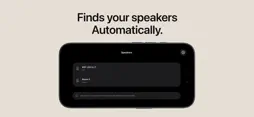
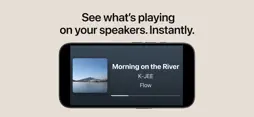
Turn your iPhone or iPad into a dedicated Now Playing display for your KEF or Sonos speakers. PlayFrame is a simple music display app designed to show what’s playing on your supported speakers. It is not a music player, and it is not a complex speaker controller. PlayFrame is still focused on being a dedicated Now Playing display, but supported speakers can also be controlled with simple actions like play, pause, skip, and seek when available. Place an iPhone or iPad in your living room, music room, kitchen, bedroom, or workspace, and PlayFrame turns it into a dedicated speaker display for your home audio setup. You can keep PlayFrame running on one device as a display, while controlling playback from another iPhone, iPad, or your usual speaker app. PlayFrame automatically discovers and connects to supported KEF or Sonos speakers on your local network, then shows the currently playing track information in real time. Because the information comes directly from your speaker, you do not need to sign in to Apple Music, Spotify, KEF, Sonos, or other accounts within PlayFrame. It is an easy way for everyone at home to see what music is playing — even if they did not start playback themselves. With a layout designed to be readable from across the room, family members, guests, and children can quickly check the song title, artist name, and artwork at a glance. Key Features: - Show the currently playing song title, artist name, and album artwork - Display Now Playing information from supported KEF and Sonos speakers - Works on iPhone and iPad - Designed for home audio, wireless speakers, and music listening spaces - Use one iPhone or iPad as a display while controlling playback from another device - Connects to supported speakers on your local Wi-Fi network - No sign-in required within PlayFrame for Apple Music, Spotify, KEF, Sonos, or other accounts - Real-time track information from your speaker - Easy-to-read design for viewing from across the room - Clean, simple Now Playing screen for always-on display use - Reuse an older iPhone or iPad as a dedicated music display - Customize the Now Playing screen with PlayFrame Pro A Now Playing Display for Your Room: Speaker apps are usually made for browsing music, changing settings, and controlling playback. PlayFrame is different. It is made for the moment after the music starts — when you simply want to see what is playing. With a focused Now Playing view that is easy to read even from a distance, PlayFrame lets album artwork, song titles, and artist names become part of your living space. PlayFrame Pro: Upgrade to PlayFrame Pro to customize the Now Playing screen and make it your own. With PlayFrame Pro, you can adjust the layout and appearance of the display to better match your room, device, and speaker setup. Great for Older Devices: PlayFrame supports iOS 16 and later, making it a great way to reuse an older iPhone or iPad as a dedicated Now Playing display for your KEF or Sonos speaker. Supported Speakers: PlayFrame currently supports KEF and Sonos speakers. Support for more speakers may be added in the future. Notes: PlayFrame is an independent app and is not affiliated with, endorsed by, or sponsored by KEF or Sonos. Supported features may vary depending on your speaker model, firmware, network environment, and playback source. PlayFrame is still in active development. If you find an issue or have a feature request, please feel free to contact support. Your feedback helps improve the app.
What's New
Version 1.0.11 2026-11-08
- Fixed an issue that prevented PlayFrame from finding KEF XIO soundbars. - Improved discovery of supported KEF speakers with custom names. - Added model names ...- Fixed an issue that prevented PlayFrame from finding KEF XIO soundbars. - Improved discovery of supported KEF speakers with custom names. - Added model names to the speaker list for supported KEF and Sonos devices. Technical Analysis
Package Overview Basic metadata
Bundle ID
com.k-jee.playframe Current Version 1.0.11
Minimum iOS 16.0
Package Size App Store Size
Package Metadata 0 / 10 version records
Detailed binary, privacy manifest, framework, and Info.plist results have not been indexed for this package yet. The verified App Store and archive metadata above remains available.
Developer Information
Known Version Records
0 version records with stored package metadata • 10 known version records
Stored metadata does not guarantee a package is currently available to download.
| Details | Version / IDs | Version date | Action |
|---|---|---|---|
| Not archived | App Store ID: 887595218 | Unknown | Request Version |
| Not archived | App Store ID: 887290539 | Unknown | Request Version |
| Not archived | App Store ID: 886951815 | Unknown | Request Version |
| Not archived | App Store ID: 886838499 | Unknown | Request Version |
| Not archived | App Store ID: 886326113 | Unknown | Request Version |
| Not archived | App Store ID: 886244379 | Unknown | Request Version |
| Not archived | App Store ID: 886109587 | Unknown | Request Version |
| Not archived | App Store ID: 886072031 | Unknown | Request Version |
| Not archived | App Store ID: 885560035 | Unknown | Request Version |
| Not archived | App Store ID: 884402317 | Unknown | Request Version |