Preview




Description
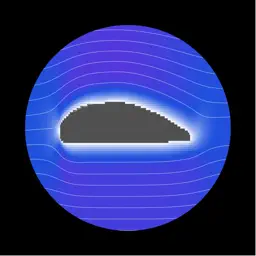
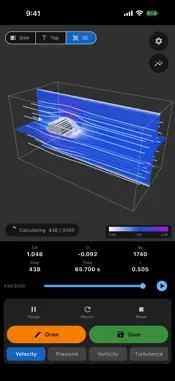
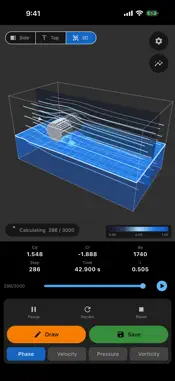
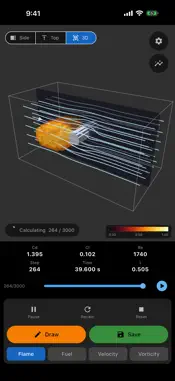
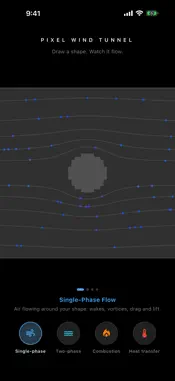
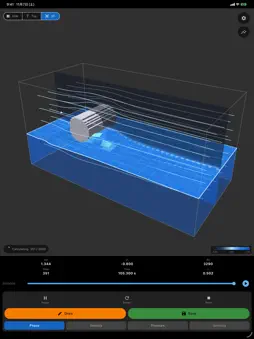
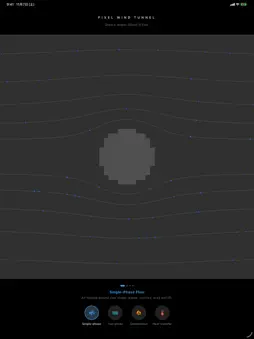
Draw a shape. Tap Simulate. Watch real fluid physics come alive in pixels. Pixel Wind Tunnel runs real CFD (Computational Fluid Dynamics) right on your device, in 2D or 3D. It uses the lattice Boltzmann method with a turbulence (LES) model, so it stays stable even at very high Reynolds numbers. FOUR SIMULATIONS • Single-phase flow: the classic wind tunnel. Wakes, vortex shedding, drag and lift. • Two-phase flow: a liquid layer flows under air. Set the interface height, the density and the viscosity of each phase (water and air by default) and watch waves and overflow around your shape. • Combustion: draw fuel nozzles in any direction. The fuel jets mix with the air and burn as flames. • Heat transfer: draw hot and cold shapes, set their temperatures in kelvin and watch warm air rise and cold air sink. HOW IT WORKS 1. Pick a simulation on the home screen 2. Draw any shape with your finger: airfoils, cars, buildings, anything 3. Tap Simulate and watch the flow develop SEE IT IN 3D Every mode can extrude your drawing in depth. Drag to orbit, move the view with two fingers, set the model width (half or full) and see 3D streamlines, flames, liquid surfaces and hot and cold air from any angle. SEE THE FLOW • Velocity, pressure, vorticity and turbulence • Temperature, flames, fuel and liquid fraction • Streamlines in every view MEASURE PERFORMANCE • Drag coefficient (Cd), lift coefficient (Cl) and Reynolds number • Point probes that track the flow over time • A timeline to scrub through the whole run DRAWING TOOLS Brush with adjustable size, pen, straight lines with X/Y lock, eraser, fuel nozzles and pinch-to-zoom. Start from ready-made shapes (sports car, person, airfoil, orifice, building and more), select and move parts of your drawing, and save shapes to reload anytime. In 3D, extrude your drawing over half or the full width, or spin it into a body of revolution, with a live front-view preview. PLAY WITH THE FLOW Long-press the result to release a stream of particles that drift along the computed flow, like powder in a wind tunnel. FOR CURIOUS MINDS Whether you are a student of fluid mechanics, an engineer sketching ideas, a teacher demonstrating aerodynamics or heat transfer, or simply curious why things are shaped the way they are: draw it and find out.
What's New
Version 1.2.2 2026-11-14
- Kármán vortex street out of the box: draw a circle in 2D, tap Simulate and switch to Vorticity - Lower default viscosity and longer 2D runs (10,000 steps); 3D...- Kármán vortex street out of the box: draw a circle in 2D, tap Simulate and switch to Vorticity - Lower default viscosity and longer 2D runs (10,000 steps); 3D keeps short runs - Max steps can now go up to 10,000 Technical Analysis
Package Overview Basic metadata
Bundle ID
GPlanner.pixelWindTunnel Current Version 1.2.2
Minimum iOS 15.0
Package Size App Store Size
Package Metadata 1 / 1 version records
Detailed binary, privacy manifest, framework, and Info.plist results have not been indexed for this package yet. The verified App Store and archive metadata above remains available.
Developer Information
Known Version Records
1 version record with stored package metadata
Stored metadata does not guarantee a package is currently available to download.
| Details | Version / IDs | Version date | Action |
|---|---|---|---|
| 15.8 MB | v1.0 App Store ID: 883626366Build: 1.0 | 2026-03-29 16:28:06 | Get Version |