Preview


Description
Bring a little calm to your Oasis sand table. Sandform is an independent companion for iPhone and iPad. Find your next pattern, shape the queue, set the lights, and watch the drawing take form in a clean, comfortable interface. EVERYDAY CONTROL, FREE • Browse and search the pattern library, filter by category, and save favorites. • Build playlists of up to 40 patterns and preview them before playing. • Add, remove, and reorder queued patterns. Keep playback close with the mini player. • Play, pause, stop, and skip. Adjust drawing speed, auto-clean, repeat, and pauses between patterns. • Follow the drawing path, progress, and estimated time remaining. • Explore available drawings in an interactive 3D sand canvas with full-screen viewing, camera controls, lighting atmospheres, and replay previews. • Choose lighting colors and effects, then adjust brightness and animation speed. • Set wake and sleep schedules, and switch between your tables. • Check for new table firmware and start an update from the app. MORE POSSIBILITIES WITH SANDFORM PRO • Sandform Originals: a growing collection of original illustrations, sculpted artwork, and geometric patterns. Browse the collections and play the designs on your table. • Endless Play: keep your table drawing from Originals, favorites, categories, or the wider library, even when the app is closed. • Smart Clean: adjust eligible upcoming cleaning directions to match known pattern start positions. Requires Auto-Clean; patterns with unknown starting positions keep their existing direction. • Fast Clean and Skip Pause After Cleaning: spend less time between drawings. • Update Later: schedule firmware installs for overnight. Your table finishes its current drawing before updating and continuing the queue. • Notifications: choose alerts for drawings, cleaning, queue completion, connection changes, new designs, and firmware updates. • Home Screen widgets: follow progress and reach playback controls at a glance. • Sand-care reminders, faster status sync, and custom accent colors. • A short setup guide helps you choose the Pro features that fit your table and routine. MADE FOR YOUR SPACE Warm light and dark appearances, readable controls, support for larger text, and layouts made for both iPhone and iPad. Follow your system appearance or choose your own. BEFORE YOU BEGIN A compatible Oasis or Oasis Mini sand table and a Grounded account are required for table control. Use the official Oasis app for initial Wi-Fi setup and pairing. Features depend on table connectivity and firmware. Sandform is independent and is not affiliated with, endorsed by, or supported by Grounded Labs, Grounded, or Kinetic Oasis LLC. SUBSCRIPTION DETAILS Sandform Pro is an optional auto-renewable yearly subscription. A 7-day free trial is available to eligible new subscribers; local pricing is shown in the app before purchase. Payment is charged to your Apple Account. The subscription renews automatically unless canceled at least 24 hours before the end of the current period. Manage or cancel it in your Apple Account settings. Terms of Use: https://www.apple.com/legal/internet-services/itunes/dev/stdeula/ Privacy Policy: https://sandformapp.com/privacy.html
What's New
Version 1.3 2026-10-09
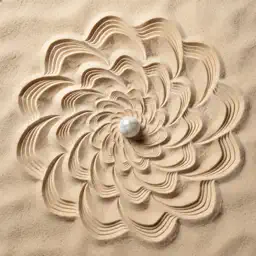
• A new look for Sandform. Warm light and dark themes, a new sand rosette icon, clearer playback and queue controls, refreshed library cards, and layouts that g... Technical Analysis
Package Overview Basic metadata
Bundle ID
com.hba.SandForm Current Version 1.3
Minimum iOS 17.0
Package Size App Store Size
Package Metadata 0 / 0 version records
Detailed binary, privacy manifest, framework, and Info.plist results have not been indexed for this package yet. The verified App Store and archive metadata above remains available.
Developer Information
Known Version Records
0 version records with stored package metadata
Stored metadata does not guarantee a package is currently available to download.
| Details | Version / IDs | Version date | Action |
|---|