Preview




Description
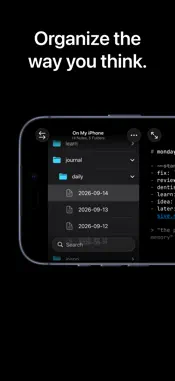
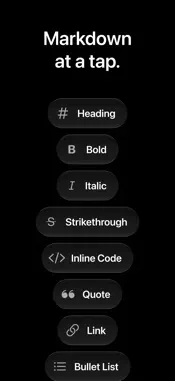
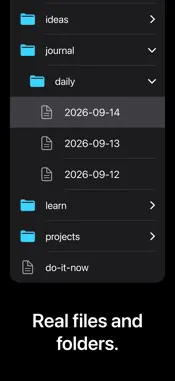
Short notes, many times a day, saved as plain .md files in real folders. Open the same folder on your Mac in VS Code, Vim, or any editor. Calm, minimal, and ready for iPhone Duo. smalltype is for your notes. The small ones, the quick ones, the big ones, the unpolished ones. It's a fast, quiet place to type. ## Start No tutorial, no setup screen. Tap New Note and start typing. Leave one empty and it quietly disappears, so you never end up with a pile of blank untitled notes. That's the whole app. ## Yours Every note is a real .md file, sitting right there in the Files app. You can open it, copy it, or back it up yourself, anytime. Delete one and it still goes to Recently Deleted, same as any other file: nothing's gone for good. ## Sync or Don't Keep notes in iCloud Drive to have them on every device. Or keep them On My iPhone, fully local, never leaving your device. Either way, you can switch anytime. ## Visible Markdown Markdown markers stay gently visible as you type. What you see is exactly what's in the file. A bar above the keyboard types the markers for you, with undo and redo a tap away. ## Organize Folders, search, and quick note-making, all from one screen. Nothing to set up first. Put "daily" in a folder's name and new notes inside it get today's date as their name. ## No Catch No ads. No subscription. No tracking. No account, ever. Markdown notes. Yours to keep.
What's New
Version 1.2.1 2026-09-21
## Fixes - On iOS 27, the fade under the keyboard bar stopped short of the keyboard, and in landscape the fade under New Note was far too heavy. Both are gone: ... Technical Analysis
Package Overview Basic metadata
Bundle ID
com.hermanhaidin.smalltype Current Version 1.2.1
Minimum iOS 26.0
Package Size App Store Size
Package Metadata 0 / 0 version records
Detailed binary, privacy manifest, framework, and Info.plist results have not been indexed for this package yet. The verified App Store and archive metadata above remains available.
Developer Information
Known Version Records
0 version records with stored package metadata
Stored metadata does not guarantee a package is currently available to download.
| Details | Version / IDs | Version date | Action |
|---|