
Preview








Description
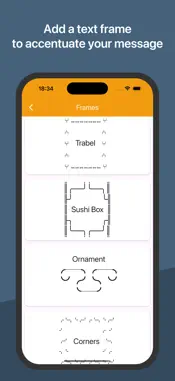
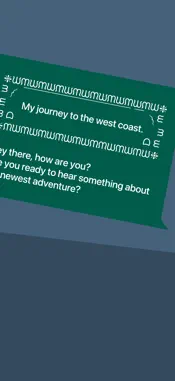
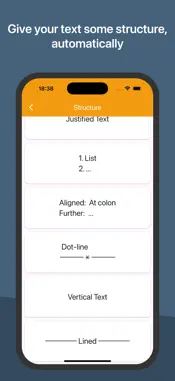
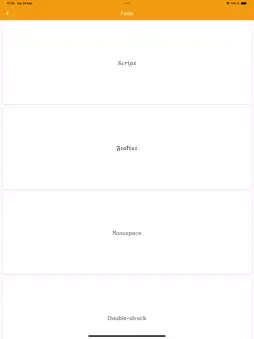
With Text-Pimp, you can instantly turn any text - messages, posts, headlines, or signatures - into a real eye-catcher! Format your texts, discover unique Unicode symbols, or let the app transform your words into stunning text art masterpieces. And the best part? It's 100% pure text; no images, just stylish characters - That means you can easily send your texts via WhatsApp or other messengers, or post them on Instagram, X, and any other social media platform. Boost your digital presence and style your messages to be more attractive. These are the tools you get with Text-Pimp: #========# ‖ ∗ Frames ∗ ‖ #========# With these text art frames, your text turns into a creative highlight. A pattern of Unicode characters is automatically added for this. ∗ Fonts ∗ Write in italics, bold type or with different fonts. ∗ Structured Text ∗ Let the app convert your text into justified text W v t r e e i r x t t t e i c a l Get this and further styles as simple as pressing a button. ∗ Characters ∗ You need the degree symbol °, the section sign §, an → arrow ←, a mathematical symbol ∞ or you want to use ⋄ as a bullet point? All these and any other special character can be found in Text-Pimp to be copied. This is how it works: ① Prepare your message, post, subtitle or whatever text. ② Copy it and choose a design in Text-Pimp - a special font, bold or italic letters, a text frame or a specific structure. ③ Paste it and copy the result back to your social media app or messenger. ④ Submit and stand out. Enjoy using Text-Pimp!
Technical Analysis
Package Overview Basic metadata
Bundle ID
de.gifstogo.text-pimp Current Version 1.0
Minimum iOS 12.0
Package Size App Store Size
Package Metadata 0 / 1 version records
Detailed binary, privacy manifest, framework, and Info.plist results have not been indexed for this package yet. The verified App Store and archive metadata above remains available.
Known Version Records
0 version records with stored package metadata • 1 known version records
Stored metadata does not guarantee a package is currently available to download.
| Details | Version / IDs | Version date | Action |
|---|---|---|---|
| Not archived | App Store ID: 873578579 | Unknown | Request Version |