Preview


Description
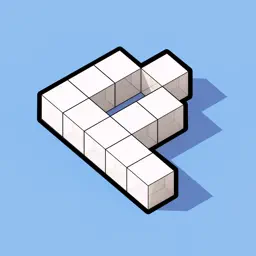
Pixel Draw turns your iPhone or iPad into a hands-on 3D voxel canvas. Tap, drag, and paint cubes to build vibrant pixelated worlds — letters, characters, scenes, anything you can imagine. Every stroke renders smoothly, every cube looks crisp, and every creation is ready to share. Whether you're a casual creator who enjoys doodling in 3D, an artist exploring voxel design, or a kid discovering digital sculpting for the first time, Pixel Draw makes 3D pixel art instantly approachable. No menus to dig through, no tools to learn — just open the app and start painting. WHAT YOU CAN DO • Paint and erase across a 40×50, 30×38 or 20×25 voxel grid with a single finger • Pick any color with a full picker plus 15 preset shades • Cycle through 6 cube shapes — Cube, Mini Cube, Sphere, Mini Sphere, Cone, and Rounded • Apply 6 material finishes — Matte, Plastic, Glossy, Metal and Chrome • Animate painted cubes with Shake, Wave, Scale, or Jitter presets • Switch between 4 camera angles and 4 lighting setups • Save your work as projects and load them back anytime to keep building • Rename, duplicate, or delete projects from the gallery • Every saved project gets an auto-generated thumbnail for quick recognition • Export the current scene as a high-resolution snapshot straight to Photos • Hide every button for a clean, distraction-free creative view INTUITIVE GESTURES • Tap or drag with one finger to paint or erase • Two-finger drag to pan the camera across the grid • Pinch to zoom in and out DESIGNED FOR CREATIVITY Pixel Draw is perfect for relaxing creative sessions, family doodling, voxel art prototyping, or simply playing with 3D pixels for fun. It runs natively on iPhone and iPad and feels right at home on every device. WHY YOU'LL LOVE IT • Beautifully smooth RealityKit rendering • Minimal, focused interface that gets out of your way • Instant satisfying feedback for every tap • Endless creative combinations of shape, material, and animation • A project library so you can always come back to a favorite build • A peaceful, screen-friendly experience for kids and adults alike Start sculpting. Start painting. Start playing — in 3D. Made with care by Nitrio. Visit nitrio.com to discover more apps we've designed for creators of all ages.
What's New
Version 1.5 2026-06-24
- Optimized for the latest devices. - Fixed minor bugs. - Improved and redesigned the UI. Technical Analysis
Package Overview Basic metadata
Bundle ID
com.nitrio.pixeldraw Current Version 1.5
Minimum iOS 17.6
Package Size App Store Size
Package Metadata 0 / 6 version records
Detailed binary, privacy manifest, framework, and Info.plist results have not been indexed for this package yet. The verified App Store and archive metadata above remains available.
Price History (USA store)
3 recorded price change points. These are historical observations, not a guarantee of the current price.
| Recorded at | Price | Currency |
|---|---|---|
| 3.99 | USD | |
| 28.0 | USD | |
| 3.99 | USD |
Developer Information
Known Version Records
0 version records with stored package metadata • 6 known version records
Stored metadata does not guarantee a package is currently available to download.
| Details | Version / IDs | Version date | Action |
|---|---|---|---|
| Not archived | App Store ID: 887218146 | Unknown | Paid / Arcade |
| Not archived | App Store ID: 882626129 | Unknown | Paid / Arcade |
| Not archived | App Store ID: 864184777 | Unknown | Paid / Arcade |
| Not archived | App Store ID: 839966134 | Unknown | Paid / Arcade |
| Not archived | App Store ID: 826947062 | Unknown | Paid / Arcade |
| Not archived | App Store ID: 825176835 | Unknown | Paid / Arcade |