Preview




Description
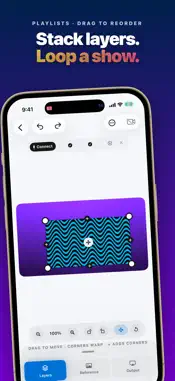
Turn any projector into a mapped light show. One Big Projector fits your video, photos, and effects to any wall, object, or stage — no complicated software, no laptop, no steep learning curve. Design it on your iPhone, iPad, or Mac, preview it on your wall in AR, then connect a projector over USB-C or HDMI and your canvas goes full-screen and clean. WHY PEOPLE LOVE IT • Fit to anything — drag the corners to line your content up with a real wall, window, or prop • Bend around curves — mesh warping wraps content over columns, arches, and rounded surfaces • Bring your own content — photos, video, and live camera, or pick from a built-in library of effects and loops • Effects and looks — kaleidoscope, strobe, sparkle, waves, and more, some audio-reactive to your music • Layer it up — stack multiple surfaces and content layers for a full mapped scene • Preview in AR — see the result on your actual wall before a projector is even connected • Clean output — when you go live, the editor handles disappear for a pure, gig-ready projection PERFECT FOR • Holiday displays — Halloween and Christmas window and facade projection • Parties and events — instant ambiance on any wall • VJs, DJs, and stage shows — live visuals that map to the set • Art installations and window displays • Anyone who just wants to point a projector at something and make it look amazing NO PROJECTOR YET? NO PROBLEM Design your whole scene and preview it in AR on your wall today. When you are ready, any USB-C or HDMI projector works. FREE TO START Build real projects for free. Upgrade to Pro for unlimited projects and unlimited video layers — monthly, annually, or a one-time lifetime purchase. Terms of Use (EULA): https://hellogoodday.com/projectorstudio/terms Privacy Policy: https://hellogoodday.com/projectorstudio/privacy Made by Hello Good Day.
What's New
Version 1.2.8 2026-10-10
• Fixed the app freezing when you open a project. • Fixed a freeze when opening the app with iCloud sync on. • Projects that iCloud duplicated are merged back i...• Fixed the app freezing when you open a project. • Fixed a freeze when opening the app with iCloud sync on. • Projects that iCloud duplicated are merged back into one, and Delete removes the one you chose. • Layers with damaged shape data are repaired on launch instead of freezing the project. • Moving a shape follows your finger right away. • A simpler plan picker: three plans side by side, no scrolling. • Shapes can hang off the edge of the canvas. • Send Feedback can include a diagnostic log and your email, so we can fix problems and reply. Technical Analysis
Package Overview Basic metadata
Bundle ID
com.hellogoodday.projectorstudio Current Version 1.2.8
Minimum iOS 17.0
Package Size App Store Size
Package Metadata 0 / 0 version records
Detailed binary, privacy manifest, framework, and Info.plist results have not been indexed for this package yet. The verified App Store and archive metadata above remains available.
Developer Information
Known Version Records
0 version records with stored package metadata
Stored metadata does not guarantee a package is currently available to download.
| Details | Version / IDs | Version date | Action |
|---|