
Preview


Description
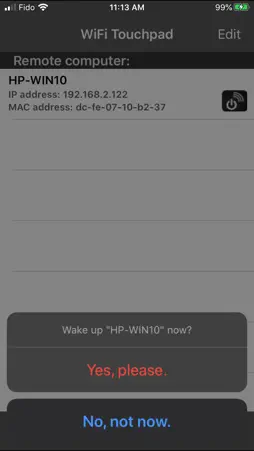
Need a wireless keyboard/mouse for a presentation, or when you connect your PC to the big screen TV? The WiFi Touchpad is the application for you! It can turn your iPhone or iPod Touch into a wireless touchpad and text input device. Sleek and simple, you can sit back and relax while you control with ease. Features: 1. Easy to use! WiFi Touchpad automatically searches for the receiver's IP address. 2. Uses WiFi networking to control any PC or laptop within the WiFi network coverage. 3. Multi-touch support - two finger right clicking and two finger scrolling. 4. Tap to click, item dragging and dropping, and window resizing. 5. Full feature landscape keyboard. 6. Allows you to compose text on your iPhone/iPod Touch before sending to remote PC. 7. Multi-language text input support. 8. Supports Chinese handwriting recognition. Turn your iPhone or iPod Touch into writing pad. 9. Includes a magnifying glass function in the receiver application. Small on screen objects can now be easily viewed. 10. System volume control. 11. User configurable buttons. 將 iPhone 或 iPod Touch 變成無線手寫板 *手寫中文輸入 *支援 Windows 及 Mac OSX 10.5 Intel *自動尋找接收端的IP住址 Application requirements: 1. Any PC or laptop running Win7/Win10. 2. iPhone or iPod Touch device. 3. Your iPhone/iPod Touch and the receiver must be on the same subnet. 4. The PC receiver application needs to be downloaded and installed on your PC first. Please download the receiver application from our website: http://www.mbpowertools.ca Demo video: https://youtu.be/6vQ_cX0AvUc
What's New
Version 1.9.2 2020-08-30
Bug Fixes. Technical Analysis
Package Overview Basic metadata
Bundle ID
com.yourcompany.WiFiTouchpad Current Version 1.9.2
Minimum iOS 10.0
Package Size App Store Size
Package Metadata 0 / 0 version records
4.0 / 5.0 (3 ratings)
Detailed binary, privacy manifest, framework, and Info.plist results have not been indexed for this package yet. The verified App Store and archive metadata above remains available.
Developer Information
Known Version Records
0 version records with stored package metadata
Stored metadata does not guarantee a package is currently available to download.
| Details | Version / IDs | Version date | Action |
|---|