
Preview




Description
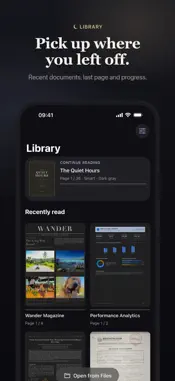
Noxpage is a PDF reader that truly goes dark. Most readers either leave the page bright white or invert everything, turning photos into negatives and charts into strange colors. Noxpage darkens the page and the text while keeping photos, charts and colors the way they were meant to look. SMART DARKENING • Pages and text are mapped in the OKLab color space, so a red line stays red and a blue link stays blue. • Photos are detected and kept as photos, only gently dimmed. • Diagrams and screenshots blend into the dark page instead of glowing as white boxes. • Transparent images and pages that are already dark are recognized and left alone. MADE FOR DAY AND NIGHT • Dark gray, black (OLED), sepia and light themes. • Sepia for bright daylight, dark gray and black for the night. • Contrast and brightness controls. • Back to the original page in one tap, any time. READ COMFORTABLY ON ANY SCREEN • Column mode shows two-column papers one column at a time, at full width. • Margin trimming makes small text bigger. • Single page mode for slides and books. SCANNED DOCUMENTS • Scanned mode turns paper dark and ink light, keeping stamps, signatures and photos readable. EVERYTHING YOU NEED TO READ • Search with highlighted results. • Highlights and notes with colors tuned for dark pages (Pro). • Outline and page thumbnails. • Instant translation of words and sentences, on device and offline. • Library with your recent documents, last page and progress. • Open from Files, Share and Open In. Quick Look previews on Mac. FREE TO READ, PRO FOR QUALITY Reading, search, outline, margin trimming and classic inversion are free. Noxpage Pro unlocks smart darkening, all themes, column mode, scanned mode, single page mode, highlights and notes, and unlimited translation (free users get one translation a day). Pro is a one-time purchase with no subscription, and it works on your iPhone, iPad and Mac. Private by design: your documents never leave your device.
What's New
Version 1.0.2 2026-11-08
Performance improvements and bug fixes. Technical Analysis
Package Overview Basic metadata
Bundle ID
com.pixend.Noxpage Current Version 1.0.2
Minimum iOS 26.0
Package Size App Store Size
Package Metadata 0 / 0 version records
Detailed binary, privacy manifest, framework, and Info.plist results have not been indexed for this package yet. The verified App Store and archive metadata above remains available.
Known Version Records
0 version records with stored package metadata
Stored metadata does not guarantee a package is currently available to download.
| Details | Version / IDs | Version date | Action |
|---|