
Preview


Description
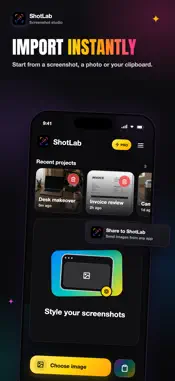
Turn screenshots and images into polished, share-ready visuals in minutes with ShotLab. Import a screenshot, choose a clean visual style, add frames, annotations, highlights, privacy masks, stickers, and export a polished image for social media, product updates, app previews, documentation, support messages, or presentations. ShotLab is built for creators, founders, designers, marketers, developers, and anyone who wants better-looking screenshots without opening a complicated design tool. What You Can Do Import screenshots and images from your photo library Paste images and continue editing recent projects Apply ready-made looks for social posts, product updates, docs, and app previews Add browser, phone, photo, room, cinema, TV, floating, glass, stacked, outline, and Instagram-style frames Customize backgrounds with solid colors, gradients, and patterns Add text, arrows, boxes, highlights, freehand drawings, step numbers, zoom callouts, and before/after comparisons Hide sensitive information with blur, mosaic, and redaction tools Customize colors, shadows, spacing, corner radius, zoom, rotation, and export ratio Add stickers and visual elements to make screenshots easier to understand Export in useful formats for stories, square posts, portraits, and wide layouts ShotLab Premium Free exports may include a small ShotLab watermark. Upgrade to ShotLab Premium to remove the watermark and export clean, professional visuals for your posts, launches, documentation, presentations, and client-ready work. Subscription Details ShotLab Premium is available as an auto-renewable subscription. Available plans, prices, durations, and trial offers are shown in the app before purchase and may vary by country or region. Payment will be charged to your Apple Account at confirmation of purchase. Your subscription renews automatically unless canceled before the end of the current billing period. You can manage or cancel your subscription anytime in your App Store account settings. Privacy ShotLab only accesses images when you choose to import, paste, edit, save, or share them. Your media is used for the editing workflow you start inside the app. Contact: [email protected] EULA: http://www.apple.com/legal/itunes/appstore/dev/stdeula Privacy Policy: https://shotlab.trackit.tr/privacy-policy Terms of Use: https://shotlab.trackit.tr/terms-of-use
What's New
Version 1.0.2 2026-11-19
ShotLab now makes the most of iPhone Duo. • Canvas and tools side by side: on the open display your canvas stays full size on one half while every tool sits on...ShotLab now makes the most of iPhone Duo. • Canvas and tools side by side: on the open display your canvas stays full size on one half while every tool sits on the other. Try looks, backgrounds and frames without the canvas shrinking. • Layers at a glance: a labelled layer list lives right in the panel. Tap any arrow, step, blur or text to select it. • Write next to your design: the text editor opens beside the canvas, so you see existing text change as you type. • Every screen uses both halves: Home shows your recent projects in a full grid, and Settings and onboarding are laid out across the open display. • Rotate or fold your Duo and your arrows and text stay exactly where you placed them. • On iPhone nothing changes: the editor keeps the portrait layout you know. Also in this update: • Rebuilt on the latest iOS frameworks for smoother performance and better stability. • The Premium screen opens as a centered sheet on wide displays. • Bug fixes and improvements. Technical Analysis
Package Overview Basic metadata
Bundle ID
com.trackit.shotlab Current Version 1.0.2
Minimum iOS 16.4
Package Size App Store Size
Package Metadata 1 / 1 version records
Detailed binary, privacy manifest, framework, and Info.plist results have not been indexed for this package yet. The verified App Store and archive metadata above remains available.
Developer Information
Known Version Records
1 version record with stored package metadata
Stored metadata does not guarantee a package is currently available to download.
| Details | Version / IDs | Version date | Action |
|---|---|---|---|
| 352.68 MB | v1.0.0 App Store ID: 885760756Build: 1.0.0 | 2026-05-28 22:25:42 | Get Version |