
Preview










Description
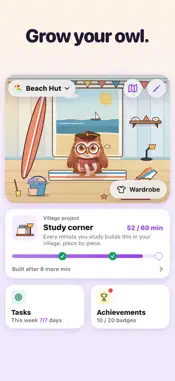
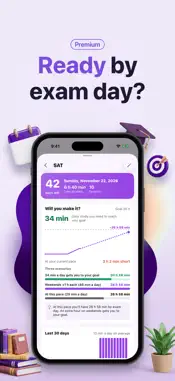
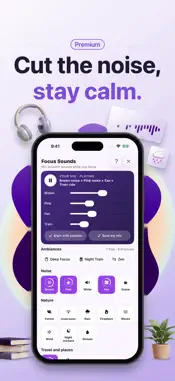
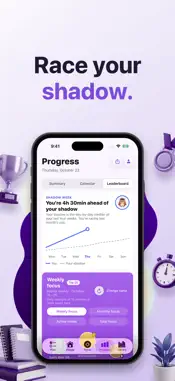
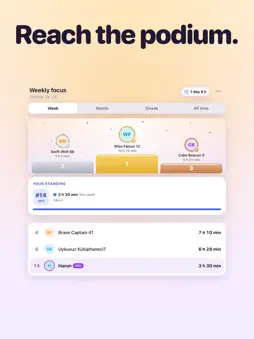
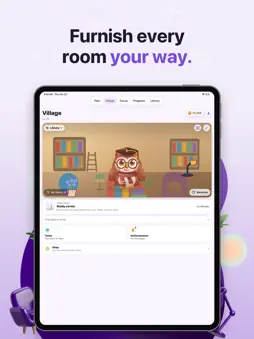
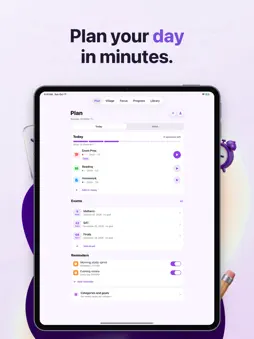
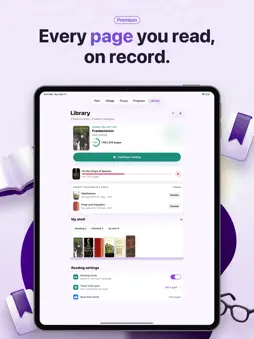
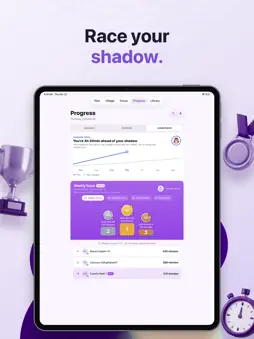
Study every day and your scholarly owl thrives. Skip a day and it misses you. Study Sprint Timer is a study timer for students working toward finals, the SAT, the ACT or GCSEs. You don't need an account, and it works offline. Add your exam in Plan and the days left stay in front of you. You see your week on one screen, move a missed task to another day, and set reminders. In Progress, your rival is you from last month. Shadow week draws the day-by-day median of your last four weeks, so you can see whether this week is ahead or behind. Your year heatmap, weekly chart, personal records, the leaderboard and your streak calendar are there too. You open it and start with one tap. Pick a 20 or 40 minute sprint, or set a length of your own. When you cannot tell how long the library day will run, switch to Free Study: an open-ended stopwatch that counts toward your streak and picks up where it left off even after a force quit. The timer sits on the Lock Screen and in the Dynamic Island, with pause and finish buttons right there. The Apple Watch app has a timer of its own. Studying earns coins. Coins are never sold; the only way to get them is to study. In the Village you walk through the rooms your owl has unlocked, and the wardrobe lets you try colors and accessories on it before you choose. Campus Style, the first cosmetic pack in the Shop, is a separate purchase and is not part of Premium. If you came here to read, say so during setup and the app reshapes itself around it: your current book on the home screen, pages instead of coursework. You start a session with a book and, if you want, a page goal, and the summary tells you how far you got. It measures your own pace to estimate how much reading time the book has left. Set a yearly book goal in the Library and watch your library fill up. You decide how it looks. There are 26 light and dark themes, and you can preview each one across the whole app before committing; the app icon changes colour along with the theme. You name the categories yourself: maths, English, software, whatever you happen to be studying. There are snooze-able smart alarms and motivation reminders. You can export your whole history as CSV, and write finished sessions to Apple Health as mindful minutes. It was built with high school and university students, self-learners and bootcamp students in mind. It works just as well if you are preparing for IELTS or if you simply like the pomodoro rhythm. Your sessions and notes stay on your phone. Your owl, plans, books and categories are backed up to our own server so they come with you to a new phone. After your third 10-minute session you join the leaderboard under a random name, and you can leave it any time. Analytics runs only if you allow it and never collects what you study. Premium is optional. It removes ads, unlocks every theme and opens Deep analysis: an hour map, focus quality, a 12-week trend, and exam pace, which shows how much you will have studied by exam day at your current rate. With Focus ambiance the focus screen follows the time of day. It also keeps an independent developer going. Something feels off? Tell us from Settings. We read every message. Terms of Use (EULA): https://www.apple.com/legal/internet-services/itunes/dev/stdeula/
What's New
Version 1.6.6 2026-11-02
• Hall of fame and titles: the top three of each week and month stay on the podium; records on one page. • The Forest on the Village Path: Tree house, Lake pier... Technical Analysis
Package Overview Basic metadata
Bundle ID
com.harundogdu.studysprint.timer.StudySprintTimer Current Version 1.6.6
Minimum iOS 18.0
Package Size App Store Size
Package Metadata 0 / 0 version records
Detailed binary, privacy manifest, framework, and Info.plist results have not been indexed for this package yet. The verified App Store and archive metadata above remains available.
Developer Information
Known Version Records
0 version records with stored package metadata
Stored metadata does not guarantee a package is currently available to download.
| Details | Version / IDs | Version date | Action |
|---|