
Stock Loop: Inventory
Preview
Description
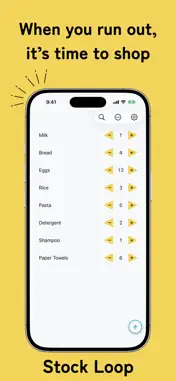
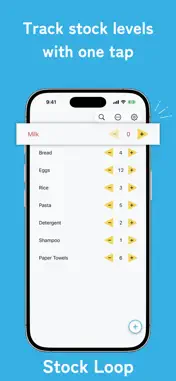
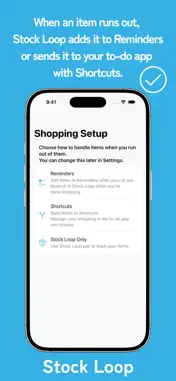
When you run out, it’s time to shop Stock Loop is a simple inventory tracker for household supplies, food, and other everyday items. When an item reaches zero, connect it to Reminders or Shortcuts and continue managing your shopping in the tools you already use. Features • Add, edit, and delete stock items • Increase or decrease quantities with a tap • Search and reorder your items • Add out-of-stock items to Reminders • Detect completed reminders and refill items in Stock Loop • Get out-of-stock items from Shortcuts • Refill stock items from Shortcuts • Back up and restore items and categories • Store your data locally on your device • No account required The free version supports up to 50 stock items. Premium is a one-time purchase that removes the item limit and unlocks categories. Premium features • Unlimited stock items • Create categories Stock Loop helps you keep track of what you have and know what to buy next.
Technical Analysis
Package Overview Basic metadata
Bundle ID
com.nh.StockLoop Current Version 1.0.0
Minimum iOS 26.0
Package Size App Store Size
Package Metadata 0 / 0 version records
Detailed binary, privacy-manifest, framework, and Info.plist results have not been indexed for this package yet. The verified App Store and archive metadata above remains available.
Known Version Records
0 version records with stored package metadata
Stored metadata does not guarantee a package is currently available to download.
| Details | Version / IDs | Version date | Action |
|---|
Sources and limitations
This page combines App Store catalog metadata, historical version records, and archived package scans where available. Ratings are from the App Store, and technical findings are observations rather than certifications. Data freshness, compatibility, availability, and analysis limitations apply.
Stored catalog source: USA App Store storefront. A catalog collection timestamp is not available on this page; displayed metadata is not a live availability, price, or installation check.