Preview





Description
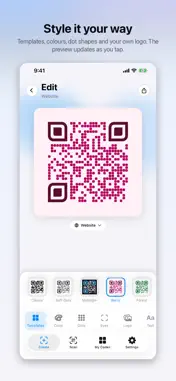
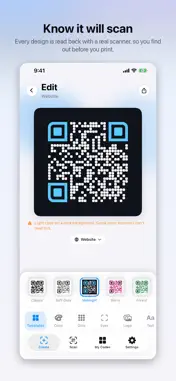
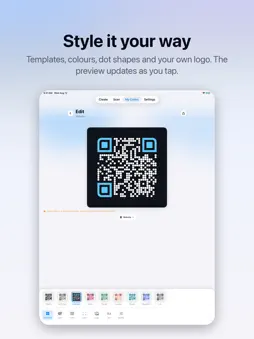
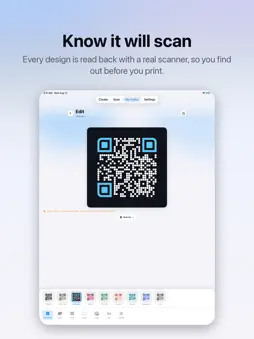
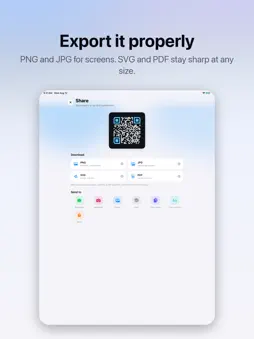
QR Maker turns anything into a QR code you'd actually want to put on a poster, a business card, or a shop window — and checks it will scan before you share it. MAKE ANY KIND OF CODE Choose from 28 types, each with the right fields already laid out for you: a website link, your Wi-Fi network, a contact card, an email, a phone number, a text message, a calendar event, a payment link, plain text, and the social profiles people ask for most — Instagram, WhatsApp, YouTube, LinkedIn, TikTok, Telegram, Spotify, Facebook, X, Snapchat, Pinterest, Reddit and more. Search the list by name instead of hunting for an icon. MAKE IT YOURS Start from a ready-made template, then change anything you like: • Colours for the code, the background and the corner markers • Dot shapes and eye shapes, from crisp squares to soft circles • Your own logo dropped into the middle • A caption underneath, so people know what they're pointing at The preview updates as you tap, so you always see the finished thing. KNOW IT WILL SCAN A pretty code is no use if a camera can't read it. Every design is read back with a real scanner before you export it, and you'll be told plainly when a colour is too light, a logo is too big, or the content is too long to fit. No more printing a thousand flyers and finding out too late. EXPORT IT PROPERLY • PNG and JPG for screens and social • SVG and PDF as vectors, so it stays sharp at any size — a sticker or a billboard Send it straight to WhatsApp or Instagram, save it to Photos, print it, or copy it to the clipboard. SCAN ANYTHING The built-in scanner reads QR codes and ordinary product barcodes — EAN, UPC, Code 128, PDF417, Aztec, Data Matrix and more. Scan a Wi-Fi code and copy the password, open a link, save a contact, or look a product number up. Everything you scan is kept in a list so you can come back to it later. EVERYTHING STAYS ON YOUR DEVICE No account. No sign-up. No tracking. Your codes are saved on your iPhone and nothing is uploaded anywhere. The app works fully offline — you only need a connection to open a link you've scanned. ALSO • Light and dark mode, or follow your system setting • Your codes are kept so you can come back and restyle them any time • Works on iPhone and iPad
What's New
Version 1.0.3 2026-10-16
Minor bug fix Technical Analysis
Package Overview Basic metadata
Bundle ID
com.lakvanta.QRCodeGenrator Current Version 1.0.3
Minimum iOS 17.0
Package Size App Store Size
Package Metadata 0 / 0 version records
Detailed binary, privacy manifest, framework, and Info.plist results have not been indexed for this package yet. The verified App Store and archive metadata above remains available.
Developer Information
Known Version Records
0 version records with stored package metadata
Stored metadata does not guarantee a package is currently available to download.
| Details | Version / IDs | Version date | Action |
|---|