Preview




Description
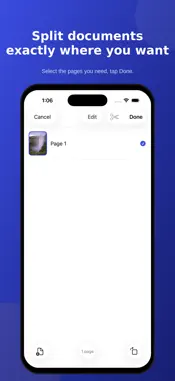
Welcome to PDF Scanner & Converter. Turn any photo, receipt, or paper document into a clean PDF — scan, organize, edit, and share, all in one app. SCAN IN SECONDS Point your camera at a document and it's automatically detected, cropped, and captured — multi-page scans included. Choose Best, Balanced, or Smallest quality as your default, right from Settings. IMPORT FROM ANYWHERE Already have the photos? Bring in existing images from your Photo Library or PDFs and images from Files — everything lands in the same organized library. YOUR LIBRARY, ORGANIZED Continue Recent and Favorites keep your most-used documents one tap away. Smart Filters and search help you find anything instantly, and every document shows its page count and file size at a glance. EDIT WITHOUT WORRY Every edit is non-destructive — reorder, rotate, crop, and apply filters to any page without ever touching the original. Duplicate or delete individual pages, insert blank pages, merge multiple documents into one, or split one document into several. PROTECT AND PERSONALIZE Add your handwritten signature to any page, stamp a custom watermark across a document, or lock a sensitive file behind a password — all built in, no extra app required. SHARE AT THE RIGHT SIZE Pick Original, Smaller, or Smallest before you export, see the estimated file size before you send, and share straight to Mail, Messages, or any app on your phone. MAKE IT YOURS Choose System, Light, or Dark appearance, set your default scan and export quality, and check exactly how much storage your documents are using — with a one-tap way to clear the thumbnail cache. PRIVATE BY DESIGN PDF Scanner & Converter works entirely on your device. There's no account to create, no analytics or ad SDKs, and nothing about your documents is ever sent anywhere. Camera and Photo Library access are used only when you choose to scan or import, exactly as iOS describes when it asks permission. Whether it's a stack of receipts, a signed contract, a whiteboard photo, or a passport scan, PDF Scanner & Converter turns it into a tidy, shareable PDF in a few taps.
Technical Analysis
Package Overview Basic metadata
Bundle ID
com.ios.ImageToPDFNext Current Version 1.0
Minimum iOS 17.0
Package Size App Store Size
Package Metadata 0 / 0 version records
Detailed binary, privacy manifest, framework, and Info.plist results have not been indexed for this package yet. The verified App Store and archive metadata above remains available.
Known Version Records
0 version records with stored package metadata
Stored metadata does not guarantee a package is currently available to download.
| Details | Version / IDs | Version date | Action |
|---|