Preview
Description
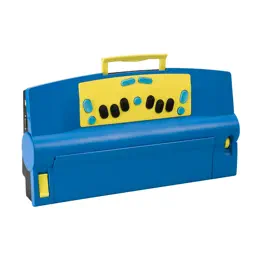
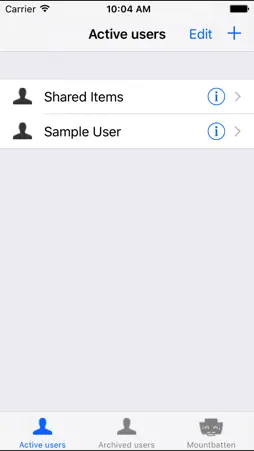
The MBMimic is a program to use with the new Mountbatten Brailler devices that are Bluetooth enabled. The MBMimic serves the teachers, parents or blind users that want to: - chat with a Mountbatten Brailler user using his/her iOS device, - collect files from Mountbatten Brailler memory for reviewing or editing, - emboss files using the Mountbatten Brailler, - upload files to the Mountbatten Brailler. The app is designed to be accessible for visually impaired users. The MBMimic connects to one of Mountbatten Braillers available near your iOS device. List of users with subfolders allows for organizing the files in a school situation. Users can be archived to a separate list. The files imported from a connected Mountbatten Brailler can be moved between user folders, viewed, edited and shared. Requirements: - new Bluetooth enabled Mountbatten Brailler Plus, Mountbatten Brailler Pro and Mountbatten Brailler Learning System. - low-power Bluetooth 4 that can be found in iPhone 4S, 3rd generation iPad, iPad Mini and iPod 4th generation or newer devices. Important information for new users: Connecting MBMimic to Mountbatten Brailler Before you beginning connecting MBMimic to a Mountbatten Brailler, please make sure that the Brailler is turned on and paper is loaded. 1. When you turn the Mountbatten on, the Bluetooth® Smart module gets automatically activated. After two seconds the BT module sends a serial number request to the Mountbatten. 2. NO pairing is necessary. Your Mountbatten will not be listed in the Bluetooth Settings on your iDevice. 3. Run MBMimic on your iDevice. 4. In MBMimic tap on the Mountbatten tab at the bottom of the screen of your iOS device. The program will be looking for any active Mountbatten in the vicinity. After a list appears, select the unit you want to connect to. A connection screen will show up saying "Connecting to Mountbatten" 5. You should hear the Mountbatten beep several times and after a few seconds, your MBMimic will connect with the brailler. Tap Done and you will be taken to the home screen
What's New
Version 1.25 2026-11-03
- Corrected recognizing set Braille table when connecting to the Whisperer device. - Added automatic changing of some characters unsupported by the Whisperer d...- Corrected recognizing set Braille table when connecting to the Whisperer device. - Added automatic changing of some characters unsupported by the Whisperer device to their supported alternatives in the text sent via chat/whiteboard. Technical Analysis
Package Overview Basic metadata
Bundle ID
pl.com.harpo.MBMimic Current Version 1.25
Minimum iOS 15.6
Package Size App Store Size
Package Metadata 0 / 21 version records
Detailed binary, privacy manifest, framework, and Info.plist results have not been indexed for this package yet. The verified App Store and archive metadata above remains available.
Developer Information
Known Version Records
0 version records with stored package metadata • 21 known version records
Stored metadata does not guarantee a package is currently available to download.
| Details | Version / IDs | Version date | Action |
|---|---|---|---|
| Not archived | App Store ID: 880594129 | Unknown | Request Version |
| Not archived | App Store ID: 879490804 | Unknown | Request Version |
| Not archived | App Store ID: 871935384 | Unknown | Request Version |
| Not archived | App Store ID: 869059895 | Unknown | Request Version |
| Not archived | App Store ID: 846102635 | Unknown | Request Version |
| Not archived | App Store ID: 840341303 | Unknown | Request Version |
| Not archived | App Store ID: 824422544 | Unknown | Request Version |
| Not archived | App Store ID: 816263863 | Unknown | Request Version |
| Not archived | App Store ID: 815032898 | Unknown | Request Version |
| Not archived | App Store ID: 814327260 | Unknown | Request Version |
| Not archived | App Store ID: 813585578 | Unknown | Request Version |
| Not archived | App Store ID: 813201006 | Unknown | Request Version |
| Not archived | App Store ID: 812992370 | Unknown | Request Version |
| Not archived | App Store ID: 775323096 | Unknown | Request Version |
| Not archived | App Store ID: 715483754 | Unknown | Request Version |
| Not archived | App Store ID: 615942703 | Unknown | Request Version |
| Not archived | App Store ID: 558242637 | Unknown | Request Version |
| Not archived | App Store ID: 498692637 | Unknown | Request Version |
| Not archived | App Store ID: 83502718 | Unknown | Request Version |
| Not archived | App Store ID: 50872632 | Unknown | Request Version |
| Not archived | App Store ID: 15835106 | Unknown | Request Version |