
Preview







Description
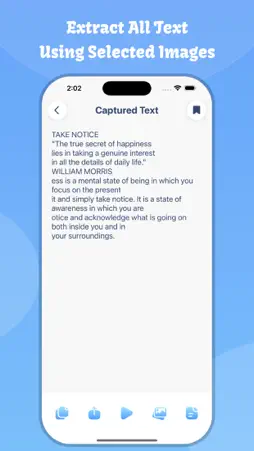
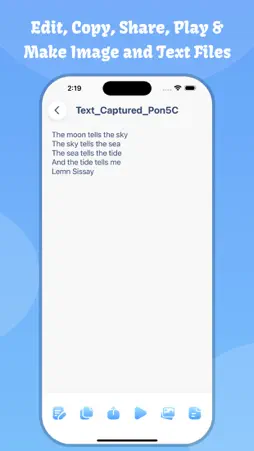
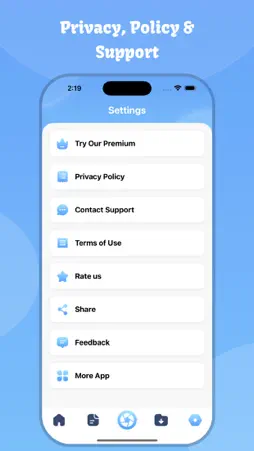
OCR Scanner : Image to Text Fast OCR, Smart Text Extractor & Document Converter Turn images and PDFs into editable text instantly with OCR Scanner : Image to Text, a powerful and easy-to-use iOS app designed for fast OCR text recognition, document scanning, and text extraction. Whether you’re a student, professional, or business user, this app helps you convert printed or digital content into searchable, editable text in seconds. Accurate Image to Text (OCR) Extract text from photos, screenshots, scanned documents, invoices, notes, books, receipts, and more. Our advanced OCR (Optical Character Recognition) technology ensures high accuracy while preserving the original text format. PDF to Text Converter Convert PDF files into clean, editable text effortlessly. Perfect for contracts, reports, ebooks, assignments, and office documents. No need to retype—just scan and convert. Key Features - Image to Text OCR with high accuracy - PDF to Text conversion in seconds - Scan documents using camera or gallery - Extract text from photos, images, and screenshots - Copy, edit, and share extracted text - Save text for later use - Fast processing with optimized performance - Works offline for privacy and security - Clean and user-friendly iOS design Perfect For - Students converting notes, books, or assignments - Professionals scanning contracts and documents - Business users extracting invoice or receipt text - Writers and researchers digitizing printed content - Anyone who wants quick text extraction on iPhone Privacy First Your privacy matters. All text recognition is processed securely, and your data stays safe on your device. We never store or misuse your personal files. Why Choose Our App? - Fast and reliable OCR scanner - Easy image to text and PDF to text conversion - Lightweight and optimized for iOS - Ideal for productivity and document management - Supports multiple use cases with simple steps How It Works 1. Select an image or PDF file 2. Scan using camera or choose from gallery 3. Convert image or PDF to text instantly 4. Copy, edit, or share your text anywhere Primary Keywords which you can use to find the app. - image to text - pdf to text - OCR scanner - text scanner - document scanner - image OCR - pdf converter - scan to text - photo to text - text extractor - OCR app - document to text - iOS OCR - scan documents - convert image to text Save time, increase productivity, and digitize your documents effortlessly. Download OCR Scanner : Image to Text today and experience the fastest way to extract text on iOS. Privacy Policy: https://softapps.in/App_Privacy.html Terms of use: https://softapps.in/App_TOS.html
What's New
Version 4.0 2026-10-20
- Performance Improved - Crashes FIxed - iOS 27 Support added Technical Analysis
Package Overview Basic metadata
Bundle ID
com.imagetotexteditor Current Version 4.0
Minimum iOS 15.0
Package Size App Store Size
Package Metadata 0 / 11 version records
4.1 / 5.0 (19 ratings)
Detailed binary, privacy manifest, framework, and Info.plist results have not been indexed for this package yet. The verified App Store and archive metadata above remains available.
Developer Information
Known Version Records
0 version records with stored package metadata • 11 known version records
Stored metadata does not guarantee a package is currently available to download.
| Details | Version / IDs | Version date | Action |
|---|---|---|---|
| Not archived | App Store ID: 886194627 | Unknown | Request Version |
| Not archived | App Store ID: 880708917 | Unknown | Request Version |
| Not archived | App Store ID: 878251731 | Unknown | Request Version |
| Not archived | App Store ID: 871942230 | Unknown | Request Version |
| Not archived | App Store ID: 870443625 | Unknown | Request Version |
| Not archived | App Store ID: 869834159 | Unknown | Request Version |
| Not archived | App Store ID: 863371862 | Unknown | Request Version |
| Not archived | App Store ID: 863264832 | Unknown | Request Version |
| Not archived | App Store ID: 859961663 | Unknown | Request Version |
| Not archived | App Store ID: 852277258 | Unknown | Request Version |
| Not archived | App Store ID: 852007699 | Unknown | Request Version |