
Preview






Description
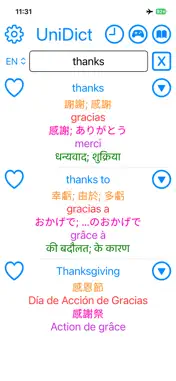
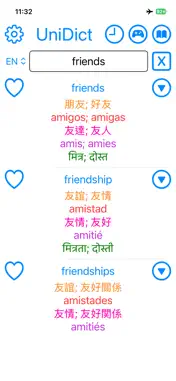
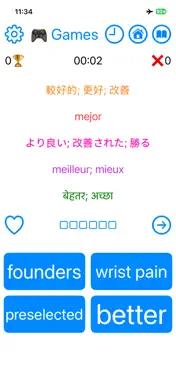
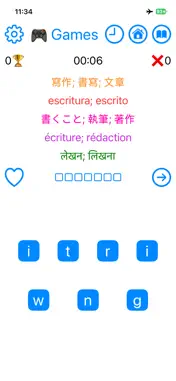
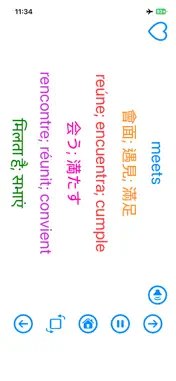
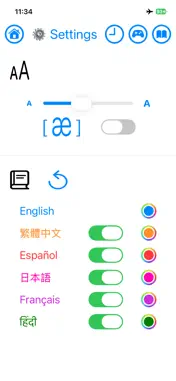
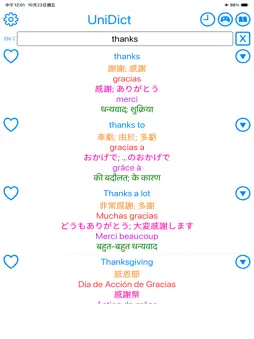
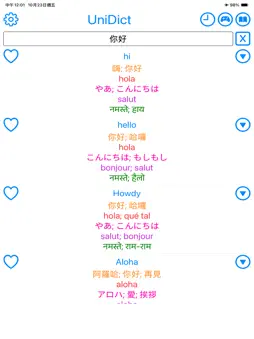
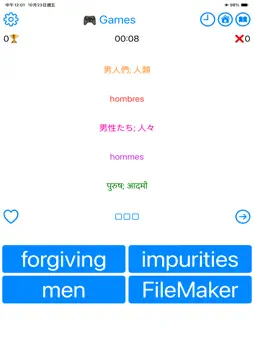
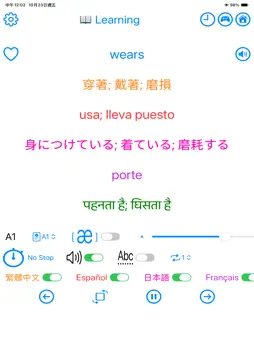
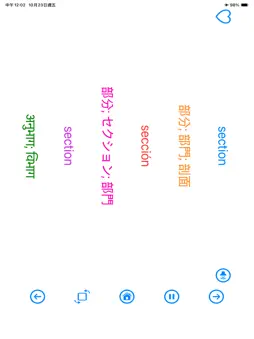
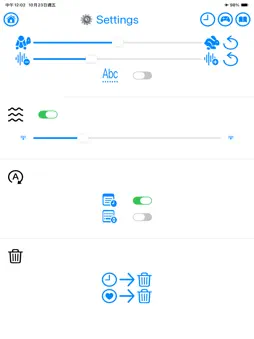
UniDict supports English, Traditional Chinese, Simplified Chinese, Cantonese, Japanese, Korean, Spanish, Portuguese, French, German, Italian, Hindi, Bengali, Urdu, Arabic, Indonesian, Russian, Pidgin, and Vietnamese. Simply enter a word or phrase in any of these languages to instantly view translations in all languages at the same time. There's no need to switch dictionaries or manually select the input language—UniDict automatically detects it for you. Best of all, everything works completely offline, so you can study anytime, anywhere without an Internet connection. Beyond being a multilingual dictionary, UniDict also includes Learning Mode and Game Mode, making it easy to build your vocabulary across all languages. Search Once. Learn More. Note: The "Speak It" mini-game uses your device's microphone. Please grant microphone permission if you would like to play the “Speak It" mini game. * Search by Native Characters or Romanization For some languages, you can search using either native characters or their pronunciation (romanization). Examples: • 「你好」 → Nihau • 「私たち」 → watashitachi • 「좋은」 → joeun • 「olá」 → ola • 「café」 → cafe • 「Bär」 → bar When searching with romanization (ASCII characters only), you can choose which language receives the highest search priority, making it easier to find the word you're looking for when multiple matches exist. You can also enable the [æ] option in Settings to display pronunciation guides (romanization) alongside translations. Tap the down-arrow button to expand the word’s English definition, synonyms and antonyms, different word forms, and CEFR level. Save important vocabulary by tapping the Heart icon. Your favorite words can later be reviewed in History Mode, Learning Mode, or Game Mode. You can tap any translation to copy the text and hear its pronunciation. If you don't hear any audio, please make sure your device's volume is turned up. * History Mode Quickly review your recent searches and favorite words. Simply tap the History (Clock) or Favorites (Heart) icon at the top of the screen. * Learning Mode UniDict is more than a dictionary—it's a complete vocabulary trainer. Tap the Book icon to start Learning Mode. The app automatically selects words based on your chosen CEFR (Common European Framework of Reference for Languages) level and pronounces each word for you. CEFR Levels • A1–A2 — Beginner • B1–B2 — Intermediate • C1 — Advanced • C2 — Proficiency During Learning Mode, you can • Skip to the next word • Return to previous words • Rotate to landscape mode for larger text • Pause or resume playback anytime • Tap any displayed word to hear its pronunciation, copy it * Game Mode Learning vocabulary becomes much more enjoyable with four built-in mini-games. Tap the Game Console icon to begin. Choose your preferred hint language, CEFR difficulty level, and start playing. Your correct and incorrect answers are tracked during each session. You can also save difficult words to your Favorites or skip words whenever you'd like. Tap the hidden answer area (□□□□) to reveal the answer and hear its pronunciation. • Multiple Choice — Choose the correct answer from four options. • Unscramble the Letters — Rearrange the letters to form the correct word. • Spell It — Type the correct spelling using the keyboard. • Speak It — Pronounce the word using your microphone. * Powerful Customization Customize UniDict to match your learning style. - Display Languages • Choose which languages are displayed • Customize text colors • Adjust font size • Show or hide romanization - Speech voice • Enable or disable text-to-speech • Adjust speech speed and pitch • Spell English words letter by letter - Startup setting • Restore the last searched word • Automatically open the keyboard when the app launches Whether you're looking up translations, expanding your vocabulary, or improving your pronunciation, UniDict provides a fast, flexible, and convenient way to learn more languages in one offline app.
Technical Analysis
Package Overview Basic metadata
Bundle ID
com.hereyouare.UniDict Current Version 3.7
Minimum iOS 17.4
Package Size App Store Size
Package Metadata 0 / 0 version records
Detailed binary, privacy manifest, framework, and Info.plist results have not been indexed for this package yet. The verified App Store and archive metadata above remains available.
Developer Information
Known Version Records
0 version records with stored package metadata
Stored metadata does not guarantee a package is currently available to download.
| Details | Version / IDs | Version date | Action |
|---|