
Preview


Description
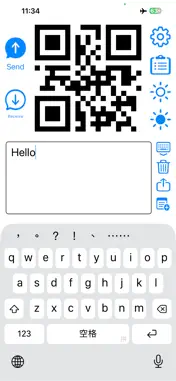
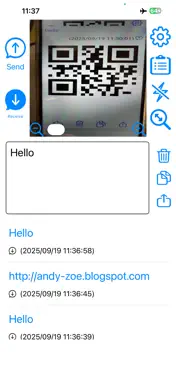
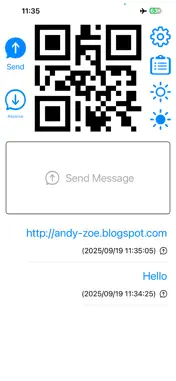
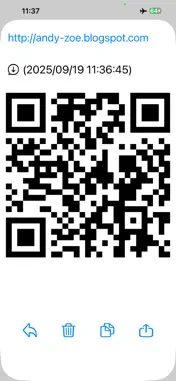
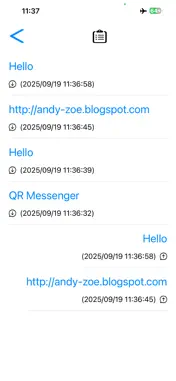
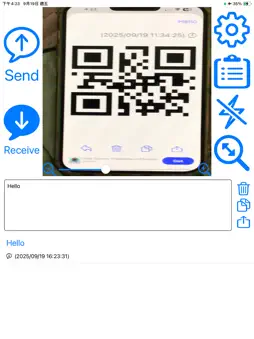
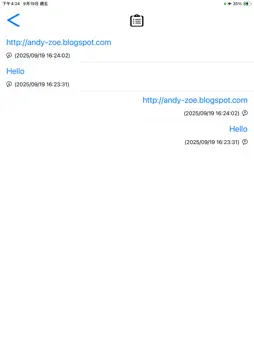
QR Messenger serves as a bridge for exchanging messages between mobile devices without requiring a wireless connection—no Wi-Fi, Bluetooth, 4G/5G cellular network, or NFC is needed. It utilizes the built-in camera to scan QR codes for exchanging text messages. Users do not need to create or sign in to any accounts to use the app, making message exchange easy and free. To send messages: 1. Launch QR Messenger. 2. Click the "Send" icon located at the top left. 3. Enter your messages in the text input box in the center. The QR code for sending messages will be generated in real-time at the top of your screen. To receive messages: 1. Open QR Messenger. 2. Click the "Receive" icon located at the top left. 3. Scan the QR code to receive messages. The received message will appear in the center text box in real-time. QR Messenger allows you to send and receive encrypted messages using Advanced Encryption Standard (AES) technology. When sending a message, you can include a password. The recipient must enter the correct password to view the original message; otherwise, they will see a garbled version. If encryption is not used, QR Messenger employs a standard QR Code format, enabling the sender or receiver to utilize other QR Code applications for communication. However, if the message needs to be encrypted, both parties must use QR Messenger to properly encrypt and decrypt the messages. It's that simple! QR Messenger is especially useful for transferring messages between mobile devices. You can also use it to send messages to strangers without needing their account details beforehand, or when a wireless connection is unavailable. Just download QR Messenger to send messages seamlessly, even without a connection! p.s. In the settings page, you have the option to customize the default send message. This means if you clear the send message field, the QR code for the default message will generate instead of an empty message. Additionally, you can adjust the error correction level of the QR code or delete the send and receive history from the settings page.
What's New
Version 1.5 2025-10-25
Update user interface. Technical Analysis
Package Overview Basic metadata
Bundle ID
com.hereyouare.QRMessenger Current Version 1.5
Minimum iOS 16.0
Package Size App Store Size
Package Metadata 1 / 5 version records
Detailed binary, privacy manifest, framework, and Info.plist results have not been indexed for this package yet. The verified App Store and archive metadata above remains available.
Developer Information
Known Version Records
1 version record with stored package metadata • 5 known version records
Stored metadata does not guarantee a package is currently available to download.
| Details | Version / IDs | Version date | Action |
|---|---|---|---|
| 3.98 MB | v1.5 App Store ID: 879177475Build: 1.5 | 2025-10-25 08:55:40 | Get Version |
| Not archived | App Store ID: 879133686 | Unknown | Request Version |
| Not archived | App Store ID: 878549242 | Unknown | Request Version |
| Not archived | App Store ID: 878422481 | Unknown | Request Version |
| Not archived | App Store ID: 875687262 | Unknown | Request Version |