Preview





Description
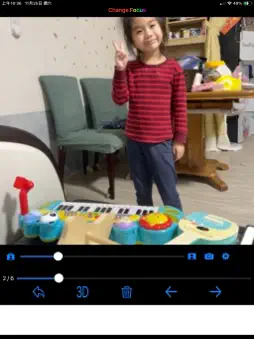
Change Focus can help you to change the focus of your photo. In the beginning, click the center "camera" icon to save the 3D image. Then, browse the photo you just took by clicking the bottom right photo. Click the photo to change focus on the point you click. You can change the blur ratio by dragging the slider. Press the "camera" icon to save the outcome image. On the setting page, you can set the blur degree. If you think blur is insufficient, you can make it heavier (but the processing time will also increase). You can also change the display/output image resolution (the larger, the slower). You can also change the view from 2D to 3D for better recognition of view depth. And turn the flashlight on/off by clicking the "torch" icon. p.s. Change Focus uses LiDAR to detect image depth. Please launch this application using iPhone 12 Pro or later / iPad Pro 2nd or later. Because of the resolution, the boundary phenomenon of the display image will not be obvious until the output photo (larger resolution).
Technical Analysis
Package Overview Basic metadata
Bundle ID
com.hereyouare.ChangeFocus Current Version 1.0
Minimum iOS 14.0
Package Size App Store Size
Package Metadata 0 / 1 version records
Detailed binary, privacy manifest, framework, and Info.plist results have not been indexed for this package yet. The verified App Store and archive metadata above remains available.
Known Version Records
0 version records with stored package metadata • 1 known version records
Stored metadata does not guarantee a package is currently available to download.
| Details | Version / IDs | Version date | Action |
|---|---|---|---|
| Not archived | App Store ID: 861491197 | Unknown | Request Version |