
Preview






Description
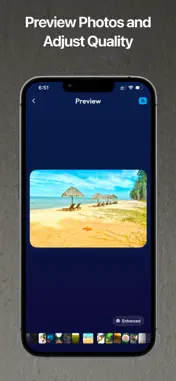
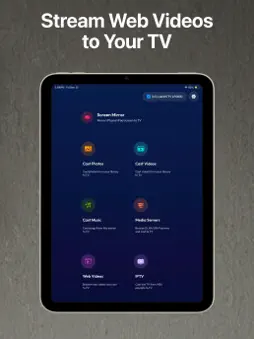
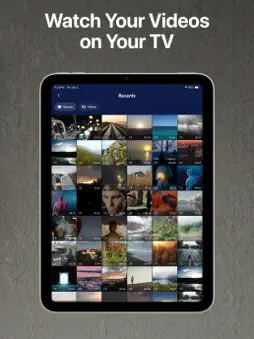
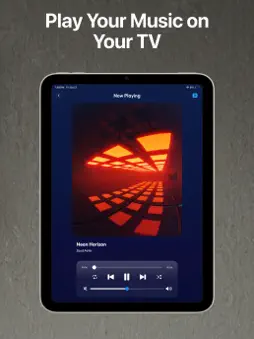
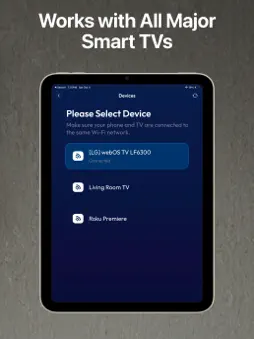
CastStream Hub lets you mirror your iPhone or iPad screen and cast your photos, videos, music, and web videos to your Smart TV, Chromecast, and Roku, including popular brands like Samsung, LG, Sony, and more. You can also mirror your screen to a PC, tablet, or another phone directly in a browser without installing any app. Whether you want to watch a movie, cast videos from websites, share photos, play music, stream from media servers like Kodi or Plex, use your own IPTV playlists, or mirror your screen to another device, CastStream Hub gives you everything in one place. Key Features • Fast Screen Mirroring Mirror your iPhone or iPad to Smart TV, Chromecast, Roku, PC, tablet, or phone with smooth performance and low latency. • Mirror to PC, Tablet, or Phone Open a simple link or scan a QR code in your browser and start mirroring instantly without installing anything on the receiving device. • Works Without Traditional WiFi Mirror your screen to a PC, tablet, or another phone even while travelling or in places without a router by connecting devices through your iPhone’s hotspot. Perfect for sharing movies, videos, presentations, or games on the go. • Save Mobile Data While Sharing Download or stream content on one device and share your screen with another nearby device instead of using mobile data separately on every device. • Cast to Smart TV, Chromecast, and Roku Stream videos, photos, music, and web videos directly. • Web Video Casting Browse supported websites inside the app, detect playable video streams, and cast them easily. • IPTV Casting Import remote M3U or W3U playlists, browse channels, and play M3U8 streams. • Playlist Management Refresh playlists to update channels or remove them whenever you want. • Media Server Support Browse and play content from DLNA or UPnP media servers like Kodi or Plex. • Easy Device Detection Automatically finds Smart TVs, Chromecast, Roku, and media servers on the same WiFi network. • High Quality Streaming Enjoy stable playback with smooth performance. • No Extra Hardware Required No cables or additional devices needed. How to Cast Make sure your iPhone or iPad and your Smart TV, Chromecast, Roku, or receiving device such as a PC, tablet, or phone are connected to the same WiFi network. For browser mirroring to a PC, tablet, or phone, you can also connect devices using your iPhone’s hotspot when WiFi is not available. Open CastStream Hub, choose what you want to play such as local media, web videos, IPTV channels, or media server content, then select your device or start mirroring using the link or QR code. For IPTV, paste a remote M3U or W3U playlist URL to load channels. Open the playlist and play any available M3U8 stream. You can refresh or delete playlists at any time. Important Note Some apps like Netflix and Amazon Prime Video may show a black screen during mirroring or casting due to DRM protection. This is a limitation from those platforms. The app works with most other apps and websites. Make sure you only stream content you have the rights to use. Disclaimer This app is not affiliated with Google, YouTube, Roku, or any other trademarks mentioned. All content comes from third party sources. IPTV and web video features depend on user provided content, and you are responsible for what you access and stream. Terms of Use & Privacy Policy By using CastStream Hub, you agree to the following: Terms of Use: https://caststreamhub.com/terms-condition.html Privacy Policy: https://caststreamhub.com/privacy-policy.html
What's New
Version 1.28 2026-10-16
• Import playlists from Files: add an M3U or W3U file saved on your iPhone, iPad or iCloud Drive. • Choose the stream quality before casting a channel, and chan...• Import playlists from Files: add an M3U or W3U file saved on your iPhone, iPad or iCloud Drive. • Choose the stream quality before casting a channel, and change it any time while watching. • Browse channels by country, with a faster, clearer channel list. • Watch a channel on your device as well as on your TV. • A Now Playing bar takes you straight back to the channel playing on your TV. • More reliable playback: streams recover automatically from short interruptions. • Clearer messages when a connection problem, rather than a channel, is the cause. • Bug fixes and design refinements. Technical Analysis
Package Overview Basic metadata
Bundle ID
com.breeze-sol.breezemslite Current Version 1.28
Minimum iOS 17.0
Package Size App Store Size
Package Metadata 1 / 26 version records
5.0 / 5.0 (3 ratings)
Detailed binary, privacy manifest, framework, and Info.plist results have not been indexed for this package yet. The verified App Store and archive metadata above remains available.
Developer Information
Known Version Records
1 version record with stored package metadata • 26 known version records
Stored metadata does not guarantee a package is currently available to download.
| Details | Version / IDs | Version date | Action |
|---|---|---|---|
| 108.54 MB | v1.26 App Store ID: 888880596Build: 1.26 | 2026-09-06 11:28:36 | Get Version |
| Not archived | App Store ID: 888191056 | Unknown | Request Version |
| Not archived | App Store ID: 887998920 | Unknown | Request Version |
| Not archived | App Store ID: 887507039 | Unknown | Request Version |
| Not archived | App Store ID: 886635791 | Unknown | Request Version |
| Not archived | App Store ID: 886397947 | Unknown | Request Version |
| Not archived | App Store ID: 886351658 | Unknown | Request Version |
| Not archived | App Store ID: 886301844 | Unknown | Request Version |
| Not archived | App Store ID: 885907205 | Unknown | Request Version |
| Not archived | App Store ID: 885259071 | Unknown | Request Version |
| Not archived | App Store ID: 885136435 | Unknown | Request Version |
| Not archived | App Store ID: 884689222 | Unknown | Request Version |
| Not archived | App Store ID: 884461170 | Unknown | Request Version |
| Not archived | App Store ID: 884251472 | Unknown | Request Version |
| Not archived | App Store ID: 883237218 | Unknown | Request Version |
| Not archived | App Store ID: 883074876 | Unknown | Request Version |
| Not archived | App Store ID: 881679043 | Unknown | Request Version |
| Not archived | App Store ID: 880603709 | Unknown | Request Version |
| Not archived | App Store ID: 879354607 | Unknown | Request Version |
| Not archived | App Store ID: 879006950 | Unknown | Request Version |
| Not archived | App Store ID: 878576792 | Unknown | Request Version |
| Not archived | App Store ID: 876153669 | Unknown | Request Version |
| Not archived | App Store ID: 872117326 | Unknown | Request Version |
| Not archived | App Store ID: 824543316 | Unknown | Request Version |
| Not archived | App Store ID: 815188984 | Unknown | Request Version |
| Not archived | App Store ID: 814877001 | Unknown | Request Version |