
Preview



Description
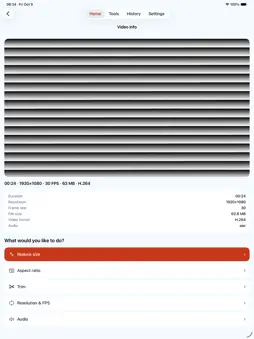
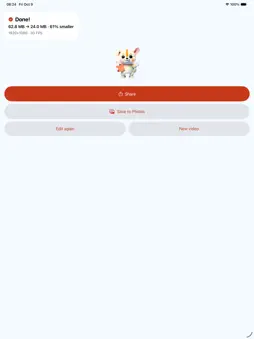
VideoFit shrinks videos to the file size you need. Set a target size, check the estimated size before you convert, and see the actual size when it finishes. No watermark is added, and videos are processed on your device without being uploaded to an operator server. • Set a target file size and preview the estimate before conversion • Adjust aspect ratio, resolution and frame rate • Trim a clip or mute its audio • Choose aspect ratio presets for social posts • Save the result to your gallery or share it Videos are processed on your device and are not uploaded to a developer-operated server. No account or login is required. Supported codecs and conversion limits depend on your device. Estimated and actual file sizes may differ. The app contains ads.
What's New
Version 1.0.14 2026-11-15
• Polished onboarding text and Korean line breaks. • Audio-only files now use a consistent file name format. • Improved handling of the maximum size limit. • Re...• Polished onboarding text and Korean line breaks. • Audio-only files now use a consistent file name format. • Improved handling of the maximum size limit. • Refined the layout of the screen for videos received via Share at larger system text sizes. • Stability improvements. Technical Analysis
Package Overview Basic metadata
Bundle ID
com.gwangy.videofit Current Version 1.0.14
Minimum iOS 16.0
Package Size App Store Size
Package Metadata 0 / 0 version records
Detailed binary, privacy manifest, framework, and Info.plist results have not been indexed for this package yet. The verified App Store and archive metadata above remains available.
Developer Information
Known Version Records
0 version records with stored package metadata
Stored metadata does not guarantee a package is currently available to download.
| Details | Version / IDs | Version date | Action |
|---|