Preview


Description
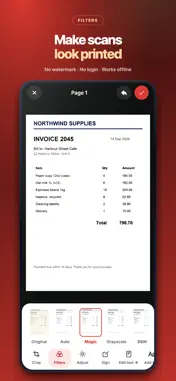
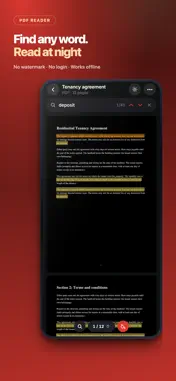
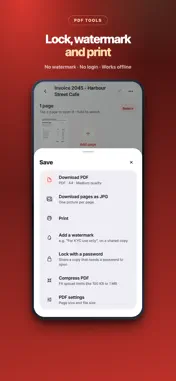
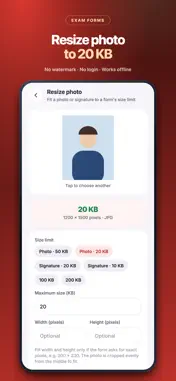
DocSwift is a PDF scanner and all in one PDF tools app that works on your iPhone, not on someone's server. Scan documents, merge PDF files, split PDF, compress PDF to 100KB, sign PDF, fill forms and lock PDF with a password. No watermark. No login. Your files stay on your phone. SCAN TO PDF • Document scanner with automatic edge detection and crop • Photo to PDF and JPG to PDF: the paper is found and straightened for you • Filters: Auto, Magic colour, Grayscale, Black & white • ID card scanner: front and back on one A4 page, at real card size • Scans are named from their text, e.g. "Invoice 2045 – Harbour Street Cafe" COMPRESS PDF TO AN EXACT SIZE • Compress PDF to 100KB, 200KB, 500KB, 1MB or 2MB for government, exam and job forms • Resize photo in KB and signature resize: 10KB, 20KB, 50KB, with exact pixels (200 × 230) ALL IN ONE PDF TOOLS • Merge PDF: join PDF files and scans into one, free and unlimited • Split PDF: share only the pages you need • Organise pages: rotate, delete, reorder and duplicate PDF pages • Unlock PDF: open a password-protected PDF with its password and keep an unlocked copy • Lock PDF: add a PDF password (AES-256) • PDF to JPG, add page numbers, add watermark ("For KYC use only") • Print and share to WhatsApp, email or Files SIGN, FILL AND MARK UP • Sign PDF: draw your signature once and reuse it • Fill and sign forms: type in the boxes, tick checkboxes • Highlight, underline, strike out and add notes • Add text, draw, and cover mistakes with whiteout CONVERT FILES • Word to PDF and Excel to PDF (.docx, .xlsx), made on your phone: text, tables and pictures are kept, with a simple layout • Text to PDF and CSV to PDF • PDF to Word, PDF to JPG, PDF to text • Image converter: JPG to PNG, PNG to JPG, WebP, and lighter pictures PDF READER • Opens big PDF files instantly • Search inside PDF, jump to a page, night reading mode • Folders, stars and search to keep files in order IMAGE TO TEXT (OCR) • Copy text from any scan or photo, read it aloud, or share it • Works offline, on your phone PRIVATE BY DESIGN • No account needed. No watermark. Works offline. • Scanning, PDF tools and text reading all run on your phone. Your documents are never uploaded. DOCSWIFT PRO (optional) • No ads, Edit PDF text, PDF to Word, unlimited signatures • Backup of all your scans. Restore is always free • Monthly, yearly or pay once for lifetime. No free trial that turns into a charge. • Subscriptions renew automatically unless cancelled at least 24 hours before the end of the period, in your App Store account settings. The free version shows an ad after some exports. Saving and sharing are never locked. Terms of use: https://docswift.softcado.com/terms.html Privacy policy: https://docswift.softcado.com/privacy.html
Technical Analysis
Package Overview Basic metadata
Bundle ID
com.docswift.app Current Version 1.0
Minimum iOS 16.4
Package Size App Store Size
Package Metadata 0 / 0 version records
Detailed binary, privacy manifest, framework, and Info.plist results have not been indexed for this package yet. The verified App Store and archive metadata above remains available.
Developer Information
Known Version Records
0 version records with stored package metadata
Stored metadata does not guarantee a package is currently available to download.
| Details | Version / IDs | Version date | Action |
|---|