Preview







Description
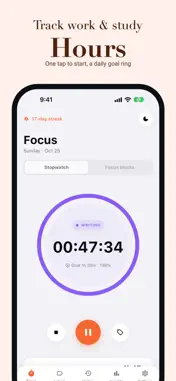
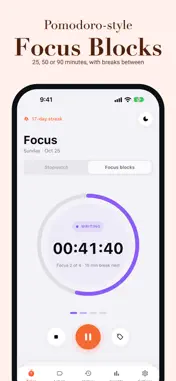
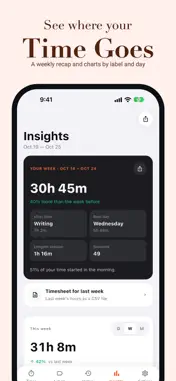
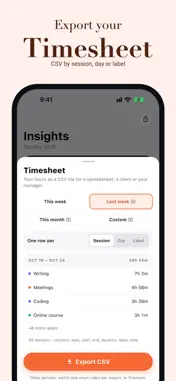
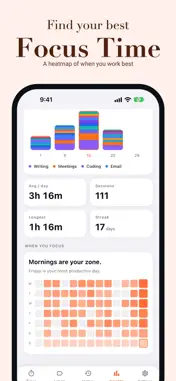
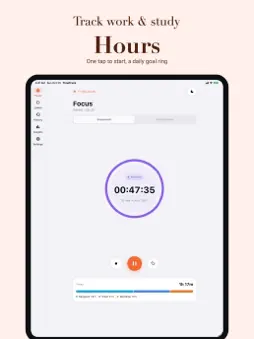
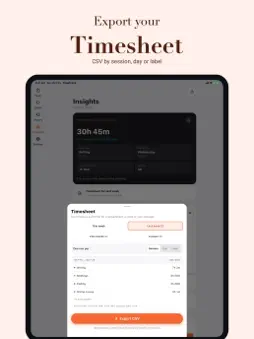
Where did today actually go? TimeTrack answers that in three taps. Name what you're doing, start the stopwatch, stop when you're done. That's the whole app. No account. No cloud. No setup screen between you and the timer. SIMPLE ENOUGH TO ACTUALLY USE Most time trackers ask you to build a project hierarchy before you can log a single minute. This one opens on a big start button. Everything else — labels, notes, reports — you can add later, or never. THE TIMER KEEPS RUNNING Switch apps, lock the phone, take a call. The timer carries on and picks up exactly where it should. Forgot to start it? Add the session by hand afterwards. Left it running overnight? Auto-stop catches that before it ruins your week's data. LABELS THAT MAKE SENSE OF IT Colour-coded labels with icons for the things you actually do — Work, Study, Client A, Deep Work, Gym. Sub-labels when a project needs breaking down. Favourites for the ones you track every day. REPORTS THAT TELL YOU SOMETHING Daily, weekly and monthly breakdowns. Stacked daily bar charts, coloured by label. A 13-week activity heatmap, so a good month and a bad month look different at a glance. Streaks, daily average, longest session and your most productive day. PRIVATE BY DESIGN, NOT BY POLICY TimeTrack has no servers. There is nothing to opt out of, because nothing about how you spend your time is collected in the first place. It works on a plane, in a basement, and on a phone with no data left. Export everything to JSON whenever you like. Schedule automatic backups daily or weekly. Your data is yours to take. WHO IT'S FOR Freelancers billing by the hour. Students who want to know how much they really studied. Remote workers protecting deep work. Anyone who suspects their time goes somewhere other than where they think. Free to use, with an optional one-time unlock that removes ads and the label limit. One payment, yours forever — never a subscription. Available in 18 languages.
What's New
Version 1.6.1 2026-11-01
Bug fixes and minor improvements. Technical Analysis
Package Overview Basic metadata
Bundle ID
app.timetrack.timer.stopwatch.productivity Current Version 1.6.1
Minimum iOS 15.0
Package Size App Store Size
Package Metadata 0 / 2 version records
Detailed binary, privacy manifest, framework, and Info.plist results have not been indexed for this package yet. The verified App Store and archive metadata above remains available.
Developer Information
Known Version Records
0 version records with stored package metadata • 2 known version records
Stored metadata does not guarantee a package is currently available to download.
| Details | Version / IDs | Version date | Action |
|---|---|---|---|
| Not archived | App Store ID: 886982381 | Unknown | Request Version |
| Not archived | App Store ID: 883850419 | Unknown | Request Version |