Preview







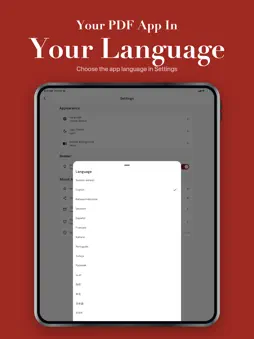
Description
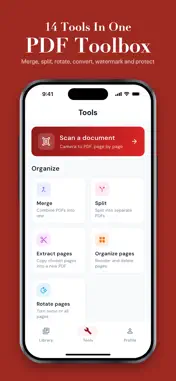
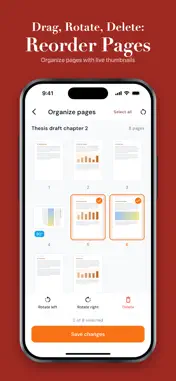
PDFKit is the privacy-first PDF reader and toolbox that does everything on your device — no uploads, no accounts, no waiting in line. Open any PDF and read it like a book, with paginated turn animations, sepia/dark backgrounds, font-size and line-spacing controls, bookmarks, and highlights that sync across reading sessions. Or stay in classic document mode for forms, contracts, and reports. Then jump straight into the toolbox: merge multiple PDFs, split a single document by page range, compress a giant scan to email size, convert images to PDF (and PDF pages back to images), rotate, reorder pages, add a password, watermark a draft, or stamp page numbers. Every operation runs locally — your files never leave your device. BUILT FOR READING • Three reader modes: Document, Book (paginated), Reflow (resizable text) • Five backgrounds: White, Sepia, Gray, Dark, AMOLED Black • Bookmarks and highlights, with one-tap export • Auto-resume where you left off, even across app restarts FULL OFFLINE TOOLBOX • Merge multiple PDFs into one • Split by page range or every N pages • Compress with quality presets (low / medium / high) • Convert images (JPG/PNG/HEIC) to PDF • Convert PDF pages to images • Rotate, reorder, delete pages • Password-protect a PDF • Add watermark or page numbers PRIVACY FIRST • 100% on-device processing — files NEVER uploaded • No account required • No data collection or tracking • Works fully offline LIBRARY YOU'LL ACTUALLY USE • Grid and list views • Filter by recents, favorites, or completed • Sort by name, date, size, or last opened • Search across imported documents • Custom collections for organizing If you've been frustrated by web-based tools that limit free uploads, slow conversion queues, and unclear data policies, PDFKit is the tool you've been waiting for. Read your PDFs, fix your PDFs, and keep them entirely yours. Download PDFKit and own your PDF workflow.
What's New
Version 1.1.2 2026-10-20
Bug fixes and minor improvements. Technical Analysis
Package Overview Basic metadata
Bundle ID
app.pdf.reader.merge.compress.split.viewer.book Current Version 1.1.2
Minimum iOS 15.0
Package Size App Store Size
Package Metadata 1 / 2 version records
Detailed binary, privacy manifest, framework, and Info.plist results have not been indexed for this package yet. The verified App Store and archive metadata above remains available.
Developer Information
Known Version Records
1 version record with stored package metadata • 2 known version records
Stored metadata does not guarantee a package is currently available to download.
| Details | Version / IDs | Version date | Action |
|---|---|---|---|
| 36.64 MB | v1.0.1 App Store ID: 885310938Build: 1.0.1 | 2026-05-06 18:34:53 | Get Version |
| Not archived | App Store ID: 885180890 | Unknown | Request Version |