Preview






Description
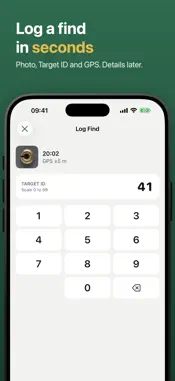
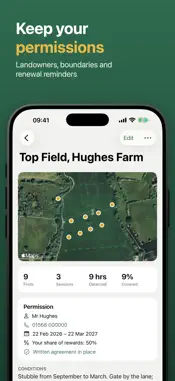
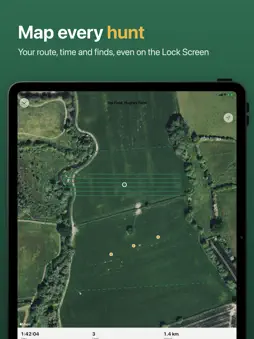
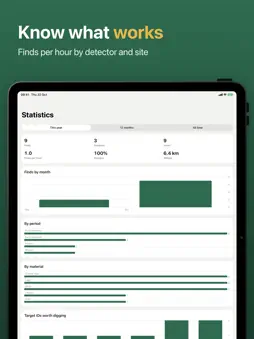
The detectorist's logbook. Log a find in seconds in the field, map every hunt, and keep your permissions and your recording in order. LOG A FIND IN SECONDS Take a photo, tap in the Target ID on a big glove-friendly keypad, and you're done. DigLog adds the time, the GPS findspot, your session and your detector. Add depth, weight, material, period, denomination and condition later, back home. MAP EVERY HUNT Start a session and DigLog times it and records the route you walk, even with the phone in your pocket. Pause for lunch and carry on. Every find is filed under the session, and the timer and a Log Find button sit on your Lock Screen and in the Dynamic Island. See your finds and past routes on the map. KEEP YOUR PERMISSIONS Add each field or site you have permission to detect: the landowner and their details, the boundary, start and end dates, your agreed share and a photo of the written agreement. Finds and sessions inside the boundary are filed under the site automatically, and DigLog reminds you before a permission runs out. Make a season report for the landowner as a PDF, with the finds you made on their land. RECORD RESPONSIBLY • Reporting guidance for the US, Australia, the UK, the Netherlands, Flanders, Denmark, Germany and France, with links to the official sources. • A recording pack for each find: photos, measurements and coordinates in one PDF and CSV. • Detecting in the UK? Possible Treasure reminders, Finds Liaison Officer packs and Ordnance Survey grid references are built in. YOUR FINDSPOTS STAY PRIVATE Shared photos never include their location. Choose how precisely each find or site may be shared, lock the app with Face ID, and keep everything in your own iCloud, in sync across iPhone and iPad. KNOW WHAT WORKS Stats by day, week, month, year, site, material and period. Compare detectors and settings by finds per hour, and see which sites pay off. YOUR DATA, YOUR WAY Export to CSV, GPX and KML, back everything up to one file, and import finds and routes from other apps. ALSO • Widgets for your season and last session • Control Centre and Siri: "Log a find in DigLog" • Equipment list with detector settings for each session • Tags, favorites and search • Light and dark mode, Dynamic Type and VoiceOver Logging finds is free. DigLog Pro adds unlimited sessions, sites and equipment, landowner and recording reports, and deeper statistics. Subscriptions renew automatically unless cancelled in Settings at least 24 hours before the end of the period. DigLog is general guidance, not legal advice: always detect with permission and follow your local rules. Terms of Use: https://www.apple.com/legal/internet-services/itunes/dev/stdeula/
What's New
Version 2.2 2026-10-29
Bug fixes and improvements to keep DigLog running smoothly out in the field. Thanks for using DigLog, and happy hunting! Technical Analysis
Package Overview Basic metadata
Bundle ID
com.gruff.DigLog Current Version 2.2
Minimum iOS 26.0
Package Size App Store Size
Package Metadata 0 / 3 version records
Detailed binary, privacy manifest, framework, and Info.plist results have not been indexed for this package yet. The verified App Store and archive metadata above remains available.
Developer Information
Known Version Records
0 version records with stored package metadata • 3 known version records
Stored metadata does not guarantee a package is currently available to download.
| Details | Version / IDs | Version date | Action |
|---|---|---|---|
| Not archived | App Store ID: 877712029 | Unknown | Request Version |
| Not archived | App Store ID: 874613132 | Unknown | Request Version |
| Not archived | App Store ID: 874436259 | Unknown | Request Version |