Preview

Description
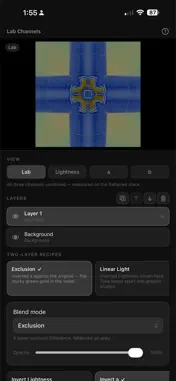
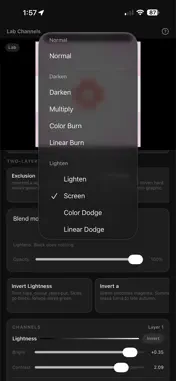
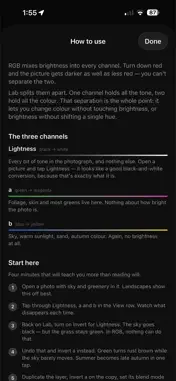
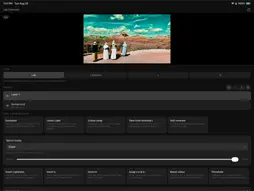
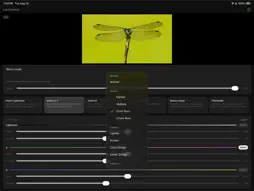
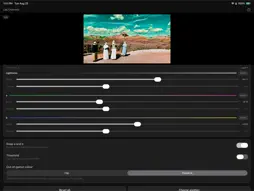
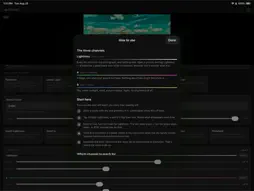
ab Channels converts your photograph into CIE L*a*b* and lets you work the three channels separately. In RGB, brightness is baked into every channel. Turn down red and the picture gets darker as well as less red — the two cannot be separated. Lab splits them apart. One channel carries all the tone. Two carry all the colour: one running green to magenta, the other blue to yellow. That separation is the point. It lets you change colour without touching brightness, or brightness without shifting a single hue. WHAT YOU CAN DO • View any channel on its own as greyscale • Invert, brighten, or add contrast to each channel independently • Swap the two colour channels to rotate every hue at once • Threshold the tone channel down to pure black and white • Stack copies of the photo and blend them together • Choose how colour that falls outside your screen's range is handled WORKING WITH CHANNELS Invert the tone channel and light and dark flip while hue stays put — clouds go black, grass stays green. Invert the green–magenta channel and summer foliage turns rust brown while a blue sky barely moves, because sky lives on the other axis. Knowing which channel a colour sits on is most of the skill, and the built-in help page walks through it with real before-and-after swatches. LAYERS AND BLENDING Duplicate the photo, edit the copy's channels, then choose how the two meet. All 24 blend modes are here, from Multiply and Screen through the contrast group to Luminosity and Colour. Luminosity takes tone from one layer and colour from the other, which is the cleanest way to change contrast without shifting a hue anywhere in the frame. COLOUR THAT FALLS OUT OF RANGE The colour channels have no limits but your screen does, so pushing one sends many colours outside what can be displayed. What happens to them is a real choice, so it is yours to make. Preserve eases saturation back toward neutral until the colour fits, holding its brightness and hue, which keeps gradation in skies and foliage. Clip cuts at the boundary instead, which flattens detail into solid blocks and is the right answer when you want that. BUILT TO BE ACCURATE Conversion uses the D50 white point, so channel values line up with what other professional tools report for the same pixel. Editing happens on a downscaled preview so adjustments stay immediate, and saving re-runs everything against your original full-size photo. PRIVACY No account, no sign-in, no network access of any kind. Your photos are read when you pick them and written back only when you ask. Nothing is collected, and nothing leaves your device.
Technical Analysis
Package Overview Basic metadata
Bundle ID
com.ganderson.LabChannels Current Version 1.0
Minimum iOS 17.0
Package Size App Store Size
Package Metadata 0 / 0 version records
Detailed binary, privacy manifest, framework, and Info.plist results have not been indexed for this package yet. The verified App Store and archive metadata above remains available.
Developer Information
Known Version Records
0 version records with stored package metadata
Stored metadata does not guarantee a package is currently available to download.
| Details | Version / IDs | Version date | Action |
|---|