
Preview







Description
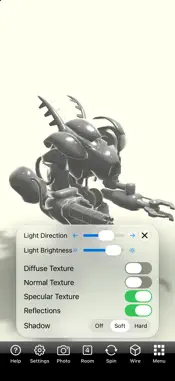
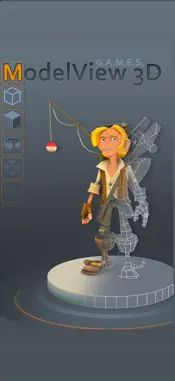
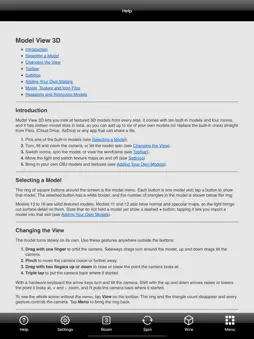
Model View 3D is a fast, simple viewer for textured 3D models on iPhone and iPad. Turn, tilt and zoom around a model, let it spin, move the light, switch rooms, and see exactly how its color, normal and specular maps shape the final look. TEN BUILT-IN MODELS Start right away with a photogrammetry head scan, a modern arm chair, a potted plant, a pocket watch with a glass crystal and a polished case, a vintage camera, a normal-mapped cyborg, and more. BRING YOUR OWN MODELS • Import OBJ models (with their MTL and textures) and glTF or GLB models from Files, iCloud Drive, AirDrop, Mail or any app that can share a file. • Zip a model together with its textures and import everything in one step. • Sixteen slots: six free for your models, and any built-in can be replaced or restored. • Supply your own button icon, or let the app render one for you. REAL MATERIALS • Metal renderer with per-pixel lighting, normal maps and specular maps. • Room reflections on glass and metal, driven by glTF metallic and roughness maps. • Transparent glass, double-sided foliage and alpha-masked leaves. • Smooth or flat shading per model, and a wireframe view with a live triangle count. SIMPLE CONTROLS • One finger to orbit, pinch to zoom, two fingers to raise or lower the view, triple tap to reset. • Spin the model, step through four rooms, and open the Settings card to move the light, change its brightness, and switch texture maps and reflections on or off. Built-in help explains every control and how to prepare models on your Mac or PC. No account needed. Model View 3D is free and supported by a small banner ad that appears only while the model menu is showing; a one-time Remove Ads purchase takes it away for good.
What's New
Version 3.2 2026-10-25
• Shadows: the model now casts a shadow onto the room and onto itself, following the light as you move it. Choose Soft, Hard or Off in Settings. • Photo button:... Technical Analysis
Package Overview Basic metadata
Bundle ID
com.games.ModelView Current Version 3.2
Minimum iOS 16.0
Package Size App Store Size
Package Metadata 1 / 3 version records
3.6 / 5.0 (13 ratings)
Detailed binary, privacy manifest, framework, and Info.plist results have not been indexed for this package yet. The verified App Store and archive metadata above remains available.
Developer Information
Known Version Records
1 version record with stored package metadata • 3 known version records
Stored metadata does not guarantee a package is currently available to download.
| Details | Version / IDs | Version date | Action |
|---|---|---|---|
 29.1 MB | v2.0 App Store ID: 829408581Build: 0.43 | 2018-11-24 17:50:20 | Get Version |
| Not archived | App Store ID: 4111198 | Unknown | Request Version |
| Not archived | App Store ID: 4020862 | Unknown | Request Version |