
Preview




Description
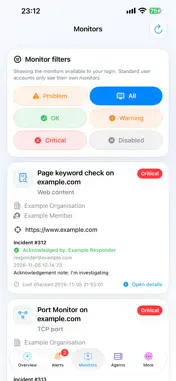
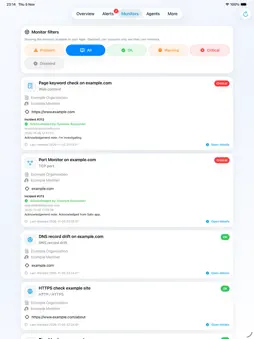
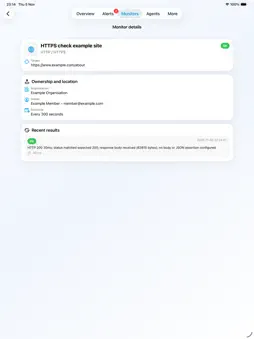
Salix Alert Desk is the iPhone and iPad companion app for Salix Monitor 360. It gives authorised Salix Monitor 360 users a clear mobile view of what needs attention, including active alerts, recent alert history, monitor status, agent status and push notification details. Use Salix Alert Desk to: • View current alert status from your iPhone or iPad • Check active critical and warning alerts • Open alert details and see what happened • Review recent alert history • View monitor health and status details • Check agent status and version information • Receive push notifications for important alerts • Tap a notification to open the related alert detail page The main Salix Monitor 360 web app remains the full control centre. Salix Alert Desk is designed as a calm, focused companion for checking status and responding to important monitoring events while away from the desk. A Salix Monitor 360 account is required.
What's New
Version 1.0.21 2026-11-08
• Improved date and time display for alerts, acknowledgements and monitoring activity, using your account time zone. • A balanced Overview layout on iPad and be...• Improved date and time display for alerts, acknowledgements and monitoring activity, using your account time zone. • A balanced Overview layout on iPad and better support for large accessibility text. • Clearer notification wording on iPhone and iPad. • Updated language status information. • Refreshed App Store screenshots, with Overview first. Technical Analysis
Package Overview Basic metadata
Bundle ID
je.salixmonitor360.ios Current Version 1.0.21
Minimum iOS 17.0
Package Size App Store Size
Package Metadata 0 / 0 version records
Detailed binary, privacy manifest, framework, and Info.plist results have not been indexed for this package yet. The verified App Store and archive metadata above remains available.
Developer Information
Known Version Records
0 version records with stored package metadata
Stored metadata does not guarantee a package is currently available to download.
| Details | Version / IDs | Version date | Action |
|---|