
Preview


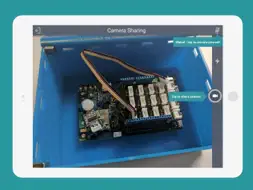


Description
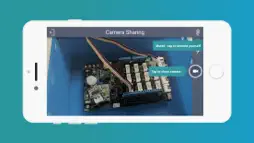
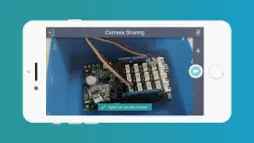
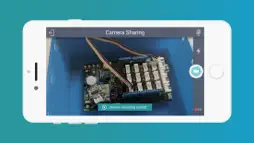
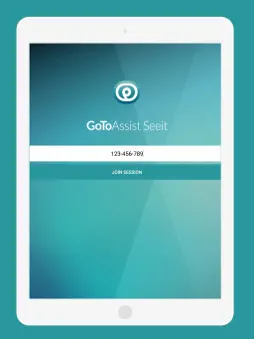
DOWNLOAD THIS APP ONLY IF INSTRUCTED TO DO SO BY A TRUSTED REMOTE EXPERT. The GoToAssist Seeit app allows you to securely share your iOS device camera with a Seeit expert. With live video streaming, VoIP, hi resolution snapshots and annotations, Seeit provides a simple and powerful way to troubleshoot complex problems remotely. HOW TO GET STARTED 1. Download and install the GoToAssist Seeit app. 2. If you received a URL from a GoToAssist Seeit expert, just tap the URL to join the session. If the app is not already installed, you will be redirected to the store and will need to install it. Once installed, tap the URL again to join the session. 3. If you received a 9-digit support key from a GoToAssist Seeit expert, start the app, enter the 9-digit support key, and then tap 'Join Session' to join the support session. 4. Once connected, you will be able to communicate via built in VoIP. By enabling camera sharing, the expert will see a secure live stream from your device camera and will be able to take snapshots. Tap the exit button to end the session at any time. FEATURES • Live camera streaming and VoIP • Expert can take hi resolution snap shots, annotate them and share them with you during a session REQUIREMENTS • Connection to mobile network or WiFi (recommended). Active phone call during Seeit session requires mobile network plan that allows simultaneous voice and data. An active GoToAssist Seeit account is required for the expert. Customer iPhone or iPad device with iOS 8.1 or above. Mobile network connection or WiFi Expert • Internet connection • Windows® 10, 7, 8.1, Vista • Mac OS® X v10.7 (Lion) or newer • Mozilla Firefox® Version 38 or newer, Google Chrome® version 44.x or newer
What's New
Version 7.1 2018-04-19
This app has been updated by Apple to display the Apple Watch app icon. Privacy updates to conform GDPR Technical Analysis
Package Overview Basic metadata
Bundle ID
com.logmein.seeit.customer Current Version 7.1
Minimum iOS 9.0
Package Size Latest Recorded Package Size
Package Metadata 5 / 5 version records
4.1 / 5.0 (13 ratings)
Detailed binary, privacy manifest, framework, and Info.plist results have not been indexed for this package yet. The verified App Store and archive metadata above remains available.
Developer Information
Known Version Records
5 version records with stored package metadata
Stored metadata does not guarantee a package is currently available to download.
| Details | Version / IDs | Version date | Action |
|---|---|---|---|
 47.27 MB | v7.1 App Store ID: 841792153Build: 68 | 2021-04-22 18:52:38 | Get Version |
| 47.27 MB | v7.1 App Store ID: 826701061Build: 68 | 2021-04-22 18:52:38 | Get Version |
| 45.37 MB | v7.0 App Store ID: 825224378Build: 57 | 2017-12-06 11:11:34 | Get Version |
| 18.44 MB | v6.13 App Store ID: 823904117Build: 42 | 2017-10-03 08:43:22 | Get Version |
| 17.27 MB | v6.12 App Store ID: 822740202Build: 33 | 2017-07-13 03:21:12 | Get Version |