Preview




Description
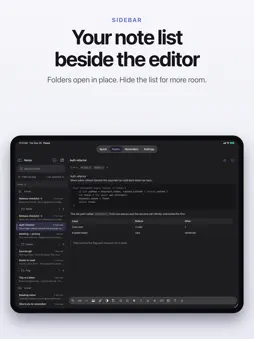
Flyout is a markdown note app for iPhone and iPad. Capture from the share sheet, Control Centre, a Home Screen widget or Shortcuts, then find the note again with folders, tags and search. Turn on iCloud sync and your notes travel through your own iCloud account — nothing passes through our servers. Buy "Flyout for iPhone, iPad and Mac" and the Mac app is included, where a full editor slides out from the edge of your screen over your work. There is an iPhone-only option at a lower price. WHAT YOU GET • Quick notes — a tabbed scratchpad for what you never need to file • A real editor — headings, lists, tables, code blocks with syntax highlighting, images, files • Reminders that live inside the note, not in a separate app • Tags that cut across folders, and folders for everything else • Lock a note with a password — it is encrypted on your device and in iCloud • iCloud sync on your own account — nothing passes through our servers • Capture from the share sheet, Control Centre, a Home Screen widget or Shortcuts TRY IT FIRST Seven days, everything unlocked. When the trial ends, Flyout locks until you buy it. Your notes are not deleted: they keep syncing if sync is on, and you can export them as Markdown. PRIVACY Sync stays off until you turn it on. Once it is on, your notes travel through your own iCloud account. We do not run a server that holds notes, we cannot read them, and there is no account to create. Locked notes are encrypted with a key derived from your password.
What's New
Version 1.2.5 2026-10-29
• Returning to the app no longer shows the open page as empty. • Adding several photos at once keeps all of them. • Text size now goes up to 28 pt. • A clock bu... Technical Analysis
Package Overview Basic metadata
Bundle ID
com.labsoffice.FlyoutMobile Current Version 1.2.5
Minimum iOS 18.0
Package Size App Store Size
Package Metadata 0 / 0 version records
Detailed binary, privacy manifest, framework, and Info.plist results have not been indexed for this package yet. The verified App Store and archive metadata above remains available.
Developer Information
Known Version Records
0 version records with stored package metadata
Stored metadata does not guarantee a package is currently available to download.
| Details | Version / IDs | Version date | Action |
|---|