
Preview




Description
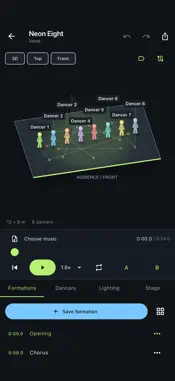
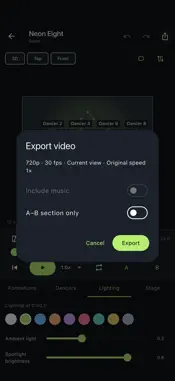
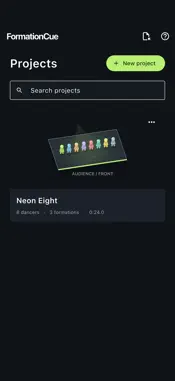
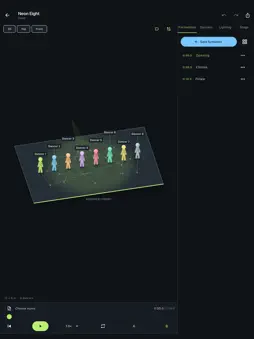
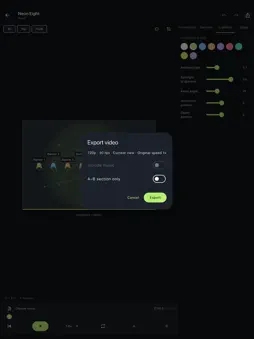
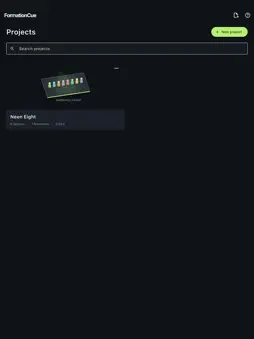
Plan your next performance in 3D. FormationCue helps dancers, choreographers, and rehearsal leaders map stage positions, time formation changes to music, and share a clear rehearsal reference. BUILD YOUR STAGE • Keep routines in separate projects. • Add up to 200 dancers with individual names and colors. • Drag dancers into position; labels follow their markers. • Orbit, zoom, or switch to top and front views. • Set stage dimensions and snap positions to a 0.25 m grid. REHEARSE WITH MUSIC • Import an audio file from your device. • Set an A–B repeat section and choose playback speeds from 0.25× to 2×. • Add timed formations, presets, and rehearsal notes. • Preview smooth movement between formations and see nearby dancer pairs. PLAN LIGHTING • Set ambient light, spotlight color, brightness, angle, and position for each formation. • Preview lighting transitions alongside the routine. SHARE YOUR PLAN • Export a 720p, 30 fps video from your chosen view, with optional music. • Export the full routine or only the A–B section. Videos use the original 1× speed. • Share and restore project backups, including imported music. One purchase. No subscription, account, or ads. Projects are stored on your device, with autosave and undo/redo while editing. FormationCue visualizes stage positions and lighting; it does not animate body choreography or control physical lighting equipment. Use music you have permission to share. DRM-protected streaming music is not supported.
Technical Analysis
Package Overview Basic metadata
Bundle ID
com.gobling.stageflow Current Version 1.0.0
Minimum iOS 15.0
Package Size App Store Size
Package Metadata 0 / 0 version records
Detailed binary, privacy manifest, framework, and Info.plist results have not been indexed for this package yet. The verified App Store and archive metadata above remains available.
Developer Information
Known Version Records
0 version records with stored package metadata
Stored metadata does not guarantee a package is currently available to download.
| Details | Version / IDs | Version date | Action |
|---|