
Preview





Description
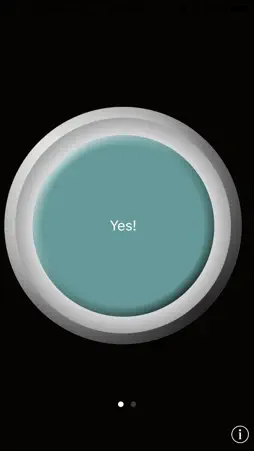
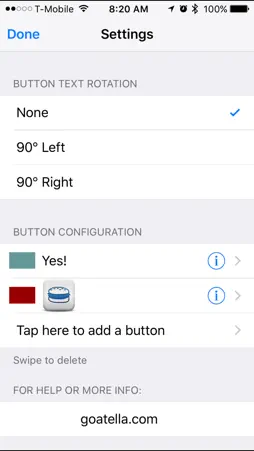
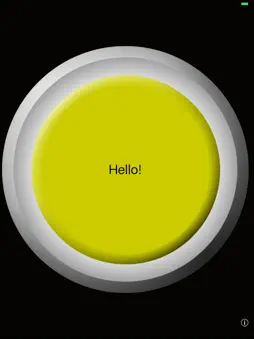
iSpeak Button Collection is a collection of single message talkers which you can swipe between. It is a group of affordable single communication buttons. For each button you can record your own personal message, and play it back with the touch of a button. This is perfect for beginning communicators, and people who require a large button surface. You can record over your messages as many times as you need. You can add custom text -or- a custom icon to your button. We provide over 500 icons or you can use images from your device's camera roll. Switch between buttons by swiping across the screen. Up to 15 buttons allowed. You can rotate the button from the settings instead of on-the-fly to prevent screen-flip stimming. Button comes in twelve different color choices. The color can be changed from the settings. Need a grid of buttons instead? Search for "iSpeak Grid" for up to 16 buttons per screen. Need a full AAC app? "iVocalize" is a great communication app with loads of features for under $10. How to use iSpeak Button Collection: To configure your iSpeak Button Collection, hit the little (i) symbol in the bottom right corner of your device. From here you can enter your text or choose your image, choose your button color, and enable rotation. To record a message, hit the "Start Recording" button. The circle to the right of the button will spin, this is how you know it is recording. When you are done with your message simply tap the "Stop Recording" button. Be sure you allow iSpeak Button Collection to access your microphone! If you accidentally choose "No" you can change this from your device's Settings >> Privacy >> Microphone >> iSpeak Button Collection If your device is muted, you can hear sound right after you record it but can not hear it on successive app uses. Please make sure the device is NOT muted! More help can be found on our website: http://www.goatella.com/
What's New
Version 1.1 2017-05-26
Updated to run smoother on newer devices Technical Analysis
Package Overview Basic metadata
Bundle ID
com.goatella.Paged-iSpeak Current Version 1.1
Minimum iOS 9.0
Package Size App Store Size
Package Metadata 0 / 1 version records
3.0 / 5.0 (1 ratings)
Detailed binary, privacy manifest, framework, and Info.plist results have not been indexed for this package yet. The verified App Store and archive metadata above remains available.
Known Version Records
0 version records with stored package metadata • 1 known version records
Stored metadata does not guarantee a package is currently available to download.
| Details | Version / IDs | Version date | Action |
|---|---|---|---|
| Not archived | App Store ID: 841443325 | Unknown | Paid / Arcade |