
Preview




Description
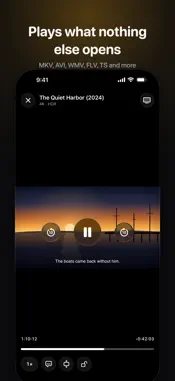
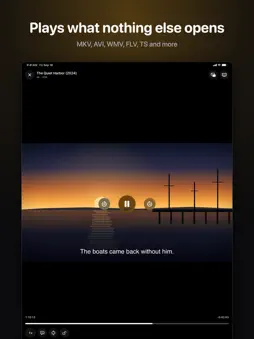
70mm plays the videos other players won't open. Drop in an MKV, an AVI, an old WMV or a recording from your camera, and it just plays — with the subtitles, the audio track and the picture quality the file was made with. One app for your iPhone, iPad, Mac and Apple TV. No ads, no account. PLAYS EVERY FORMAT • MKV, AVI, MP4, MOV, WMV, FLV, WebM, TS, M2TS, VOB, MPG, OGV, 3GP, RealMedia and more • H.264, HEVC 10-bit (x265), AV1, VP9, MPEG-2, Xvid, DivX and older codecs • HDR10 video, 4K at 60 frames, and high frame rate files • Music too: MP3, FLAC, ALAC, Opus, WMA, OGG, WAV • Damaged or half-downloaded files say so instead of failing silently SUBTITLES THAT LOOK RIGHT • SRT, WebVTT, ASS and SSA with styling, positioning and karaoke • Subtitle files next to the video are found automatically, including a Subs folder • Choose when subtitles come on: automatically, only for parts in another language, or always • Shift subtitles in sync, pick any audio track, switch language mid-scene STRAIGHT FROM YOUR NAS • Network shares: SMB, SFTP, FTP, WebDAV and NFS — browse a NAS or a computer and play without copying anything • Open videos from Files, a USB drive, iCloud Drive or another app • Wi-Fi Transfer: open a web address on your computer and drag videos straight into 70mm • Continue Watching remembers where you stopped, on your device and on your server ANY FORMAT ON YOUR TV • Send any video to 70mm on your Apple TV or Mac, in any format, with subtitles • Your iPhone becomes the remote: play, pause, scrub, switch tracks • AirPlay sends most MKV videos with the picture, and Chromecast plays MKV and MP4 • The audio track you pick plays on the TV too, even DTS, and you can switch it mid-film • Screen Mirroring shows the video full screen • Picture in Picture, background audio, and the lock screen controls you expect BUILT TO STAY OUT OF THE WAY • No ads, no account • Nothing is uploaded: your videos stay on your devices and your own network • Gestures for brightness, volume and seeking; speed control; sleep-friendly lock 70mm PRO — ONE-TIME PURCHASE Everything above plays for free, forever. 70mm Pro is a single purchase, not a subscription, and adds: • Playing on your TV without limits (three tries are free) • As many network servers as you like • Your place in a video synced across your devices • Translate the subtitles playing now into your language, right on your device • A private folder behind Face ID for videos you'd rather keep aside Pro works on iPhone, iPad, Mac and Apple TV, and with Family Sharing. QUESTIONS Support and privacy: apphunt.app/70mm 70mm uses VLCKit, © VideoLAN and contributors, under the GNU Lesser General Public License 2.1. The licenses are listed in Settings › Acknowledgments.
What's New
Version 1.2.4 2026-11-13
• Chinese, Japanese and Korean subtitles built into MKV and other videos now show up on screen. • Bug fixes and improvements. Technical Analysis
Package Overview Basic metadata
Bundle ID
app.70mm.app Current Version 1.2.4
Minimum iOS 26.0
Package Size App Store Size
Package Metadata 0 / 0 version records
Detailed binary, privacy manifest, framework, and Info.plist results have not been indexed for this package yet. The verified App Store and archive metadata above remains available.
Developer Information
Known Version Records
0 version records with stored package metadata
Stored metadata does not guarantee a package is currently available to download.
| Details | Version / IDs | Version date | Action |
|---|