Preview







Description
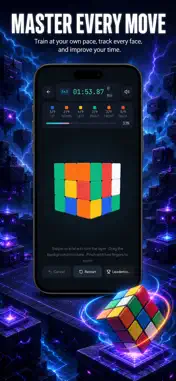
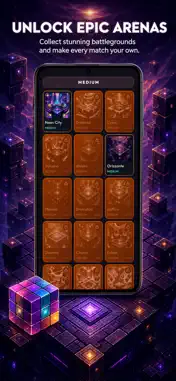
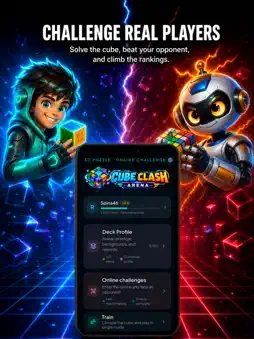
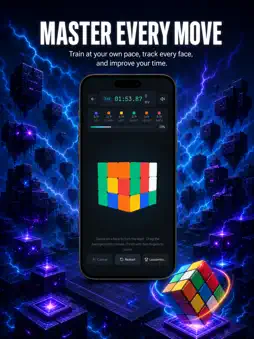
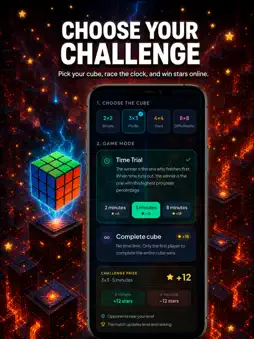
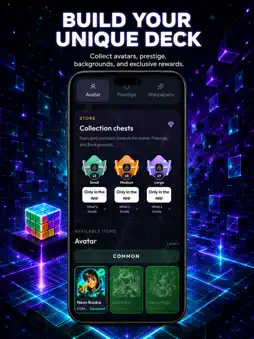
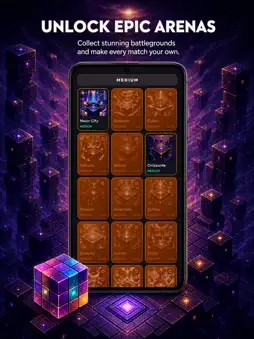
Twist layers, solve 3D cubes, and race an opponent in Cube Clash Arena for iPhone and iPad. Start with a 2x2 or 3x3 cube, then unlock the 4x4 and 8x8 as you progress. Take your time in solo training, see how far you can get before a countdown ends, or go head-to-head and be the first to finish the whole cube. Turn Layers and Look Around Use touch controls to turn individual layers. Rotate your viewpoint to see the other faces, then pinch to zoom in on the pieces you want to inspect. Changing your viewpoint leaves the puzzle as it is, so you can check where a piece sits before deciding which layer to turn. Try the same controls on larger cubes as you unlock them and have more layers to work with. Practice With or Without a Countdown Open solo training without creating an account. Choose an untimed session when you want to work through a complete solve at your own pace. For a timed session, choose a 2-, 5-, or 8-minute countdown and see how much of the cube you can finish. The timer, move count, and completion percentage let you check how the attempt is going while you play. Undo a turn to try a different move, or restart for a fresh attempt. If you want a closer look in the middle of a session, pause to stop the timer and music. You can still rotate your viewpoint to check the sides facing away from you. Layer turns are paused until you resume, so the cube stays in the same position while you look around. Watch a Solution or Make the Moves Yourself In training, tap Solve to see the solution for the virtual cube in front of you. The animation works through the cube's current position one move at a time, so you can watch which layer turns and where the pieces go. Use it when you want to see how the cube comes together from the position you've reached. Choose Guide if you'd like to make each move yourself. An on-screen arrow shows which layer to turn and in which direction. The arrow updates after you move, giving you the next step from the cube's new position. Tap Stop in either tool to keep the cube exactly where it is and continue by hand. Assisted attempts are tracked separately from your independent records. Race an Opponent Online In a complete-cube challenge, the first player to solve the whole cube wins. Keep an eye on your opponent's live progress while working through your own moves. The completion percentage can go up or down as layers turn, so the progress you see can change from one move to the next. A timed challenge gives you a different goal. If the countdown ends before either player finishes, the higher completion percentage wins. If both players end at the same percentage, the player who used fewer moves wins. A complete solve can end a timed match before the countdown reaches zero. Otherwise, you can win with a partial solution, based on the progress you have made. The move count matters alongside the finish percentage when you practice for this mode. Save Progress and Make the Arena Yours Create an account to save your progress, earn stars, advance through levels, and unlock larger cubes and new challenges. Check your personal records and compare results in the rankings. Your own best times and move counts give you something to work toward when you return to training. Set a target for your next session, whether that's a quicker complete solve or a stronger finish before time runs out. Personalize your profile with avatars and prestige items, and choose an arena background to suit your style. Adjust music, sound, and vibration in settings so the game feels right for a focused practice session or a close online race. For your first session, pick a 2x2 or 3x3 and try a few layer turns. When you're ready for a different challenge, set a countdown in training or take on an opponent in a race to finish. An internet connection is required for both training and matches.
What's New
Version 1.1 2026-11-24
Improved gameplay experience. Technical Analysis
Package Overview Basic metadata
Bundle ID
app.cubeclasharen1.app Current Version 1.1
Minimum iOS 15.0
Package Size App Store Size
Package Metadata 0 / 0 version records
Detailed binary, privacy manifest, framework, and Info.plist results have not been indexed for this package yet. The verified App Store and archive metadata above remains available.
Developer Information
Known Version Records
0 version records with stored package metadata
Stored metadata does not guarantee a package is currently available to download.
| Details | Version / IDs | Version date | Action |
|---|