
Preview



Description
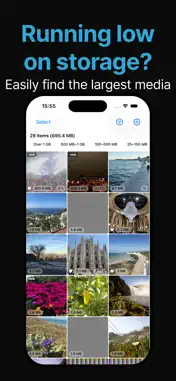
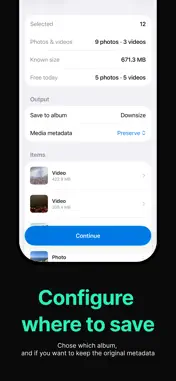
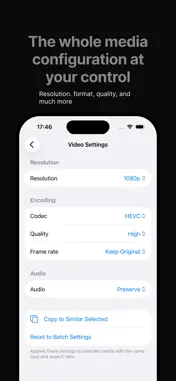
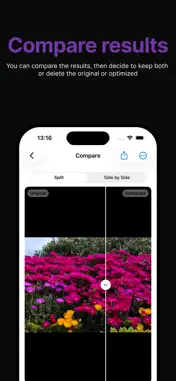
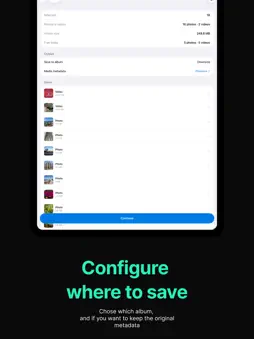
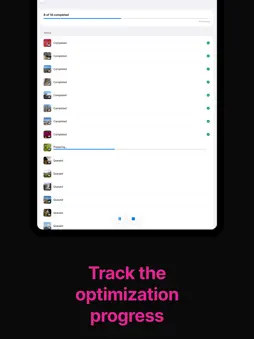
Running out of storage? Downsize finds the photos and videos eating the most space and shrinks them — right on your iPhone, without deleting a single memory or sending anything to the cloud. Everything happens on your device. Your photos never leave your iPhone, your originals are never changed, and you stay in control. HOW IT WORKS • Browse your library sorted largest-first, so the biggest space hogs are right at the top. • Select the photos and videos you want to shrink — or drag to select a whole range at once. • Choose how to optimize: resize, adjust quality, or convert to more efficient formats. • Downsize saves a smaller copy and leaves your original exactly as it was. CONTROLS THAT RESPECT YOU • Photos: HEIC or JPEG, quality presets, and resize by percentage or resolution. • Videos: HEVC or H.264, resolution, frame rate, and audio options. • Live Photos: keep them live, or convert to a still. • HDR videos stay HDR. • Compare before and after — side by side or with a slider — and pinch to zoom in on the detail. • Filter by favorites and by size, and see exactly how much space each item uses. • Metadata is yours: keep it, remove location only, or strip all optional data. PRIVATE BY DESIGN • All processing runs on your device — your media is never uploaded and we never see it. • No account required. • Your originals are never modified, and deleting anything is always a separate, explicit choice. DOWNSIZE PRO Unlock unlimited photo and video optimization and remove ads with a single one-time purchase — no subscription. Free up space, keep your memories, stay private. That's Downsize.
What's New
Version 1.5 2026-09-09
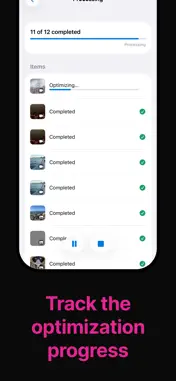
• Faster batches: photos are now converted several at a time, and iCloud downloads happen while the previous item is still being processed. • Processing no long...• Faster batches: photos are now converted several at a time, and iCloud downloads happen while the previous item is still being processed. • Processing no longer stops when your screen turns off on its own. • Pause now stops the item being processed, not just the ones waiting. • Stop now cancels everything and takes you straight back to your library. • If a batch stops, Downsize now tells you why — including when your iPhone needs to cool down. Technical Analysis
Package Overview Basic metadata
Bundle ID
com.gilmarquinelato.Downsize Current Version 1.5
Minimum iOS 26.0
Package Size App Store Size
Package Metadata 0 / 0 version records
Detailed binary, privacy manifest, framework, and Info.plist results have not been indexed for this package yet. The verified App Store and archive metadata above remains available.
Developer Information
Known Version Records
0 version records with stored package metadata
Stored metadata does not guarantee a package is currently available to download.
| Details | Version / IDs | Version date | Action |
|---|