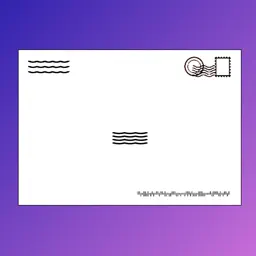
Preview
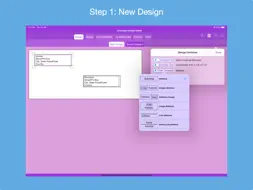
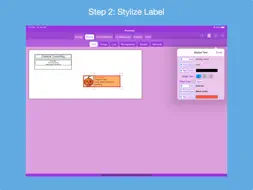
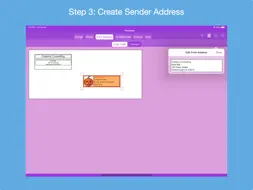

Description
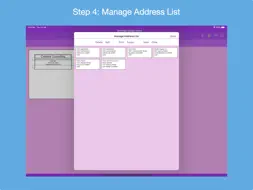
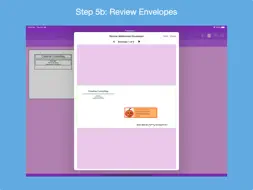
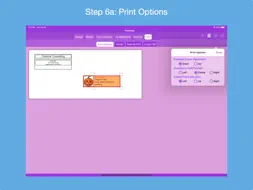
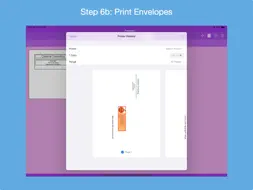
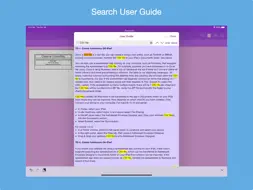
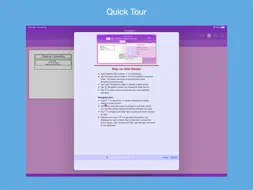
Design custom addressed envelopes: select from various sender and recipient address templates and custom stylize each address label. Printed envelope may contain sender address only, recipient address only or both. Features: * Supports 3 envelope standards: ISO, JSO and North American. * Supports 160 envelope sizes compatible with business and home inkjet/laser printers. * Specify custom envelopes whose size does not match any of the standard envelopes. * Stylize sender and recipient address label separately: - First line and remaining address lines can have a different font, font type and font color. - Select images from photos or supplied clip art. - Select monogram's font, letter and color, and optionally encase in a circle or oval frame. - Change the color and thickness of a line. - Add a background: color, photo or pattern. - Add a colored border: surround, top-bottom or left-right sides. - Include a USPS Intelligent Mail postal barcode (IMb) on printed envelope. Control where the barcode is placed. * Enter sender address manually or select from contacts. * Build a list of recipient addresses by entering them manually, selecting contacts with addresses, selecting a saved list and/or importing addresses from a CSV spreadsheet. * Manage address list: delete or edit an address, print list, export list as a CSV file, save address list to device and clear list. * Specify repetition counts for sender and recipient addresses. * Review envelopes for accuracy before printing. * Print outlined envelopes on paper and overlay an actual envelope to check if addresses positioned correctly. * Print envelopes to AirPrint enabled printers, save to a PDF file for printing later or e-mail PDF file as an attachment. * Printer options: Envelope's Face Placement, Envelope's Feed Position and Seal Flap's Direction. * Save envelope design to device and restore anytime. * Quick Guide provides a quick way to learn how to use the app. * Quick Tour of app that demonstrates its features and how to use them; viewable on-demand. * Detailed User Guide on how to use the app; includes a list of Frequently Ask Questions (FAQs). * Help Tips for each design sub-step to guide and remind user how to proceed. * Ability to send e-mail to the developer to report an issue and get back a solution, ask usage questions and/or make improvement suggestions. * Optionally request to rate the app in the App Store. The app's Privacy Policy is available at http://verusapps.com/index.php/privacy-policy-for-addressed-envelope-designer/
What's New
Version 3.2.0 2026-05-05
1. Compatible with iPadOS 26+ and macOS Tahoe 26+ 2. The minimum supported iOS is now iOS 16.6+. 3. Fixed a crash bug; A saved design with a monogram sender tem... Technical Analysis
Package Overview Basic metadata
Bundle ID
com.hansengj.Addressed-Envelope-Designer Current Version 3.2.0
Minimum iOS 16.6
Package Size App Store Size
Package Metadata 0 / 12 version records
Detailed binary, privacy manifest, framework, and Info.plist results have not been indexed for this package yet. The verified App Store and archive metadata above remains available.
Known Version Records
0 version records with stored package metadata • 12 known version records
Stored metadata does not guarantee a package is currently available to download.
| Details | Version / IDs | Version date | Action |
|---|---|---|---|
| Not archived | App Store ID: 882046454 | Unknown | Paid / Arcade |
| Not archived | App Store ID: 873335946 | Unknown | Paid / Arcade |
| Not archived | App Store ID: 864069944 | Unknown | Paid / Arcade |
| Not archived | App Store ID: 854498066 | Unknown | Paid / Arcade |
| Not archived | App Store ID: 846897274 | Unknown | Paid / Arcade |
| Not archived | App Store ID: 846879596 | Unknown | Paid / Arcade |
| Not archived | App Store ID: 842610897 | Unknown | Paid / Arcade |
| Not archived | App Store ID: 840891849 | Unknown | Paid / Arcade |
| Not archived | App Store ID: 833600791 | Unknown | Paid / Arcade |
| Not archived | App Store ID: 833387464 | Unknown | Paid / Arcade |
| Not archived | App Store ID: 832374374 | Unknown | Paid / Arcade |
| Not archived | App Store ID: 830813102 | Unknown | Paid / Arcade |