Preview




Description
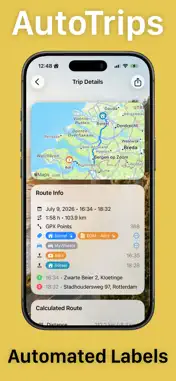
AutoTrips — Automatic Trip & Mileage Logging AutoTrips records your trips automatically so you never have to remember to hit "start." Whether you're tracking mileage for work, taxes, or expenses, AutoTrips captures every drive with an accurate GPS route, distance, and timing — hands-free. AUTOMATIC RECORDING Set it up once and forget it. Using an iOS Shortcuts automation, AutoTrips starts the moment your car connects — CarPlay or Bluetooth — and stops when you disconnect. It works even if the app is force-quit, recording silently in the background. The built-in Setup Guide walks you through it in under a minute. CARPLAY READY Start, stop, and label trips right from your car's display. Assign the car and label for the trip you're on without touching your phone. SMART LABELS Trips label themselves. AutoTrips recognizes your routes by location and your saved markers — so Home, Work, and your regular stops are sorted automatically. You can always override a label by hand, and your choice always wins. MARKERS & PLACES Drop markers on the places that matter. AutoTrips notes every time a trip passes through them, with timestamps — perfect for client sites, job locations, or frequent destinations like toll booths. CARS & VEHICLES Track multiple vehicles with license plates. New trips automatically inherit the last car you drove. BEAUTIFUL TRIP DETAILS See every drive on a clean map with a color-coded speed overlay. Trips with stops are grouped into journeys automatically, so your log reads the way you actually drove. POWERFUL FILTERING Find any trip fast — filter by date, car, label, or marker, with multi-select for exactly the view you need. EXPORT (Premium: Lifetime In App Purchase) Export your trips as CSV, PDF, or GPX — complete with distances, markers, and license plates. Ideal for reimbursement, accounting, or your own records. PRIVATE BY DESIGN Your trips sync seamlessly across your devices with iCloud and stay in your account. No third-party tracking. Also works with Siri, the Action Button, Spotlight, and widgets.
What's New
Version 1.6.5 2026-10-01
- Added option to set Label by day and time - Option to blur background - Fixed minor bugs Thanks everyone for the feedback! Technical Analysis
Package Overview Basic metadata
Bundle ID
com.pathos.AutoTrip Current Version 1.6.5
Minimum iOS 26.0
Package Size App Store Size
Package Metadata 1 / 3 version records
Detailed binary, privacy manifest, framework, and Info.plist results have not been indexed for this package yet. The verified App Store and archive metadata above remains available.
Developer Information
Known Version Records
1 version record with stored package metadata • 3 known version records
Stored metadata does not guarantee a package is currently available to download.
| Details | Version / IDs | Version date | Action |
|---|---|---|---|
| 8.58 MB | v1.6.0 App Store ID: 888153649Build: 1.6.0 | 2026-07-30 17:40:52 | Get Version |
| Not archived | App Store ID: 887507266 | Unknown | Request Version |
| Not archived | App Store ID: 882918967 | Unknown | Request Version |