
Preview


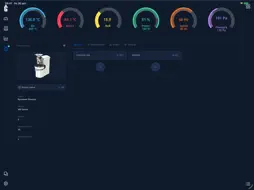

Description
Giesen Profiler lets you monitor, record and manage coffee roasts on your iPad. Connect to a compatible Giesen W-series or G-series roaster over your local network. Compatible G-series roasters also support Bluetooth connections. Follow temperatures, power, drum speed and other available readings as you roast. Create and edit roast profiles, compare a live roast with a reference profile, and replay profiles on supported equipment. Import Artisan roast logs to use as profiles. Sign in with your existing Giesen Cloud account to sync profiles, roasts and inventory with your team and the desktop Profiler. Saved data remains available offline, and pending changes sync when your connection returns. Features include: • Live roast charts and equipment controls • Profile editing, playback and reference comparisons • Roast history and Between Batch Protocol • Cloud sync and inventory integration • G-series firmware updates over Bluetooth or the local network • 19 interface languages, including right-to-left support for Arabic, Hebrew and Persian Giesen Profiler is designed for professional coffee roasters using compatible Giesen equipment. Available readings and controls depend on your roaster and connection.
What's New
Version 2.4.1 2026-10-18
Version 2.4.1 - Start firmware updates for a connected G-series roaster over Bluetooth or the local network, and follow progress after reconnecting. The roaste...Version 2.4.1 - Start firmware updates for a connected G-series roaster over Bluetooth or the local network, and follow progress after reconnecting. The roaster downloads the update and needs internet access. Older roasters can be updated through GiesenCloud or Giesen service. - Choose dashboard value cards or gauges in Settings > Appearance. Small screens always use value cards. - Choose Off, Light, Recommended or Strong RoR smoothing in Settings > General. Stronger smoothing responds more slowly; recorded readings stay unchanged. Smoothing starts off. - Find roasters and accessories in separate tabs in Settings > Connections. - Turn Between Batch on or off in Settings > General, while keeping saved Between Batch data. - Electric G6 manual controls and profile playback now use the same 150–200 Pa pressure range as electric G15 roasters. Chosen limits within that range are preserved. - Configure G6 and G15 valve triggers while offline. Profiler checks the connected roaster before moving a valve. - An earlier sign-in attempt can no longer interrupt a new sign-in. Technical Analysis
Package Overview Basic metadata
Bundle ID
com.giesen.profiler Current Version 2.4.1
Minimum iOS 18.0
Package Size App Store Size
Package Metadata 0 / 0 version records
Detailed binary, privacy manifest, framework, and Info.plist results have not been indexed for this package yet. The verified App Store and archive metadata above remains available.
Developer Information
Known Version Records
0 version records with stored package metadata
Stored metadata does not guarantee a package is currently available to download.
| Details | Version / IDs | Version date | Action |
|---|