Preview




Description
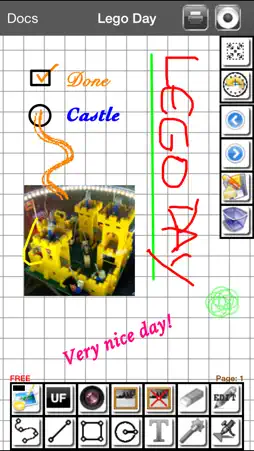
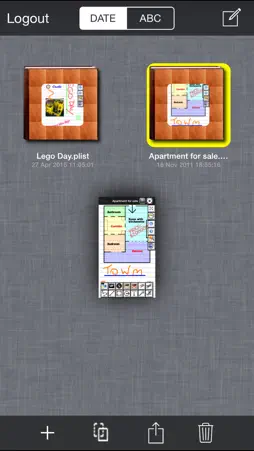
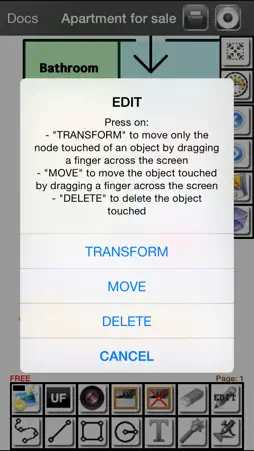
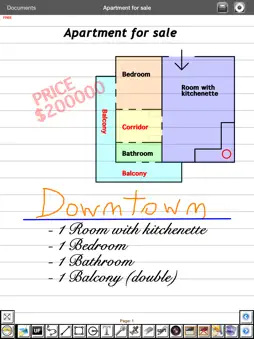
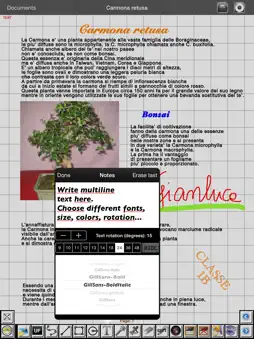
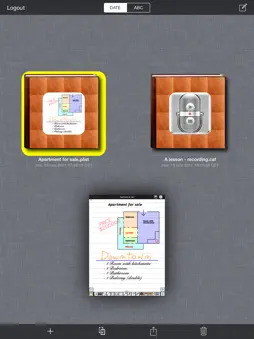
Do you need a notebook with lines or squares with endless pages where you can take your freehand notes in the same way and with the same speed as when you use the pen? Need a few sheets of white paper for freehand drawing and then enter the text written with the keyboard and being able to choose font, color, size and angle of the text? Do you want to photograph transparencies of a presentation in real time and add notes or highlight parts? Do you need to record audio while taking notes of lectures on the book with an infinite number of pages? Need a secure archive (password protected) to save countless notebooks? Want to listen a recorded university lecture and add or correct the notes taken during the lesson? In your notes you have to add computer-aided technical drawings by exporting them ex. from FingerCAD and writing notes on the CAD design or using CAD technical drawing tools like lines, rectangles, circles with the drawing grid option activated? Need to print the pages of your notebook when You come back to home (using the new technology of wireless printing "AirPrint" or PDF)? Do you think that writing with a pen is faster than writing with the keyboard? "Scribes" is the right application for You! Write mode: - Writing handwritten text (the same way as you use a pen/highlighter on a notebook, with the stroke, the color, the transparency “ALPHA” that you want - dotted lines with ALPHA = 0) - Writing text using the integrated text editor of Scribes (you can use different fonts, different angles, different sizes and colors on the same page or on different pages of the notebook) Drawing mode: - Draw free-hand using many colors/transparency and the brush size you want (both on notebook lines/squares and on white sheets) - Enable or disable the drawing grid: enable the grid together with the line, circle, rectangle drawing tools (with optional color fill) for simple technical drawings (disable the grid to write some freehand notes on the technical drawings or use the text editor of Scribes to insert for example measurements) - Filter for wrist touch Multimedia Support: - Record high quality stereo audio with 32Bit 44Khz, infinite recording time (on .caf file) in the background (while recording, you can take notes on notebook) - Import images in the pages of the notebook in real-time, taken by camera and stored in the photo albums of the device (you can import many images, for each page of the book, on which you can write notes) - Listen the audio recordings with the built-in player of Scribes - Photo camera support (acquire the photo camera's images directly from Scribes software) Navigation: - Fast book pages change - Animated zoom pinching the screen with two fingers - Animated pan dragging two fingers on the screen - Reset pan and zoom settings: full zoom out pinching the screen with two fingers or by pressing and holding down two fingers on the screen Management of books stored in the "Scribes Archive": - Archive of notebooks (you can save / copy an infinite number of notebooks in the archive) - Add books (file sharing, copy) - Sharing books with other apps - Rename notebooks - Delete notebooks - Duplicate notebooks Sharing books and audio files recorded with: - Dropbox (remote storage systems, cloud) - Apple FILE - AirDrop - Open In - iTunes File Sharing - email - tapeRecorder app Print: - AirPrint - PDF App type: - UNIVERSAL APP (you pay only once and runs on all your devices) * www.ngcybit.it Scribes PRO Quick Users Guide is available at URL: http://www.ngcybit.it/iTunesApp/scribes/scribes-pro-quick-users-guide.html *
What's New
Version 2.2 2025-09-03
* Minor bugs fixed Technical Analysis
Package Overview Basic metadata
Bundle ID
com.GianlucaNataliniNGCYBIT.Scribes Current Version 2.2
Minimum iOS 18.0
Package Size App Store Size
Package Metadata 0 / 7 version records
Detailed binary, privacy manifest, framework, and Info.plist results have not been indexed for this package yet. The verified App Store and archive metadata above remains available.
Developer Information
Known Version Records
0 version records with stored package metadata • 7 known version records
Stored metadata does not guarantee a package is currently available to download.
| Details | Version / IDs | Version date | Action |
|---|---|---|---|
| Not archived | App Store ID: 877757164 | Unknown | Paid / Arcade |
| Not archived | App Store ID: 843215174 | Unknown | Paid / Arcade |
| Not archived | App Store ID: 841403233 | Unknown | Paid / Arcade |
| Not archived | App Store ID: 5747590 | Unknown | Paid / Arcade |
| Not archived | App Store ID: 5404964 | Unknown | Paid / Arcade |
| Not archived | App Store ID: 5247597 | Unknown | Paid / Arcade |
| Not archived | App Store ID: 4984427 | Unknown | Paid / Arcade |