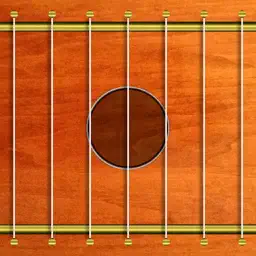
Preview




Description
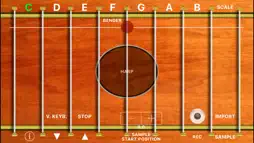
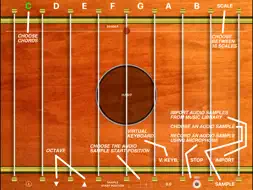
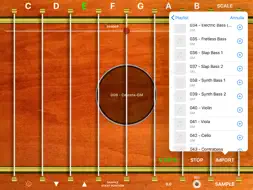
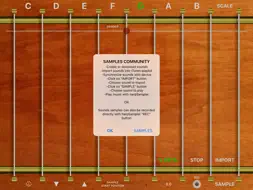
"harpSampler" transforms your device into a professional multi-touch harp with sound sampler. Simply create your own sound sample (an "A" or "LA" note for musical instrument sound or any note for special sounds or special effects): - using the "REC" button of harpSampler (uses the internal microphone of the device to record the sound sample for the harp) - importing the sound sample that you have created with a wave editor for MAC or PC in your device through iTunes synchronization - using copy / paste for the audio file you have created using the technology "iTunes File Sharing" Once imported the sound sample, harpSampler tool will automatically create the complete "Harp" (with 8 octaves). At which point you can play your harp (with the sound created by you or using the default "HARP" sound included in the application bundle), or entertain your friends with a scale of special effects (harp style). The software is able to read all files / audio samples that are compatible with your portable device (.wav, .mp3, .m4a, .caf, etc ...), you can then create your sound (you only need one audio file) using standard wave editor for Mac or PC, add reverb, chorus, special effects (you can manipulate the sound as you wish), save it in the file format that you prefer and use harpSampler to automatically create the complete musical instrument, to be played like an harp. Using the "SAMPLE START POSITION" control you can choose the exact play start position of the sound sample ("wave cut"). Using the "REC" button you can record your live performance or record a new sound sample to be assigned to the musical instrument. Using the different scales (You can choose the scale You want from the "SCALE" menu), you do not need necessarily to be an expert musician to play some beautiful scales with your harp. Also, using the "chords" control (C, D, E, F, G, A, B) you can choose the chord for your harp or scale ("chords" work together with the "scale") . With harpSampler You can create the harp of your dreams or, in general, you can create any kind of musical instrument, or special effects generator and play it like an harp! Features: - Import any sound, and automatic generation of the musical instrument (8 octaves) - Storing infinite sounds using the archive of sound samples "Samples Archive" of harpSampler - Harp multi-touch for live music performances - Check for increase / decrease the eighth harp used in real time - "Bending" control to change the sound of the device in real time - "Sample Start Position" control: you can remove the initial part of a sample (eg. silence), specifying the play start time of the sample ("wave cut" feature) - "STOP" button to immediately stop the harp sound - Harp with multiple voices (up to 96 voices) - Default "HARP" sound provided with the app - Ability to "record" musical patterns during the live performance: start the recording (pressing the "REC" button), harpSampler will record an audio file of the music you are playing with the harp musical instrument (press a cable of the harp to play the recorded audio of Your live performance) - "CHORDS" control - Multiple scales selectable from the "SCALE" menu - Virtual keyboard, pressing the "V. KEYB.": disable the automatic scale and enable the virtual keyboard on the cables of the harp *** PROMOTIONAL MESSAGE: If You want to play the "Golden Gate Bridge" like a giant harp, using the sound samples of the Golden Gate Bridge itself, You can download the app "Play The Golden Gate Bridge". The sound samples of the "Golden Gate Bridge" provided with the "Play The Golden Gate Bridge" app were sampled by the "San Francisco Synthesizer Ensemble" company. Amazing sounds… Try it !!! ***
What's New
Version 2.3 2026-01-14
* Minor bugs fixed Technical Analysis
Package Overview Basic metadata
Bundle ID
com.GianlucaNataliniNGCYBIT.harpSampler Current Version 2.3
Minimum iOS 16.0
Package Size App Store Size
Package Metadata 1 / 5 version records
Detailed binary, privacy manifest, framework, and Info.plist results have not been indexed for this package yet. The verified App Store and archive metadata above remains available.
Developer Information
Known Version Records
1 version record with stored package metadata • 5 known version records
Stored metadata does not guarantee a package is currently available to download.
| Details | Version / IDs | Version date | Action |
|---|---|---|---|
| 16.54 MB | v2.3 App Store ID: 881389898Build: 2.3 | 2026-01-14 08:24:07 | Paid / Arcade |
| Not archived | App Store ID: 853631930 | Unknown | Paid / Arcade |
| Not archived | App Store ID: 833163351 | Unknown | Paid / Arcade |
| Not archived | App Store ID: 819042374 | Unknown | Paid / Arcade |
| Not archived | App Store ID: 9255710 | Unknown | Paid / Arcade |