
Preview



Description
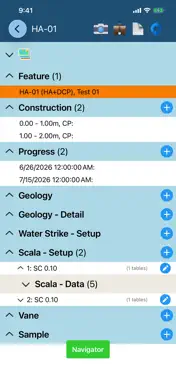
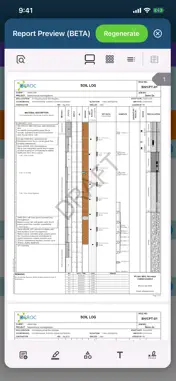
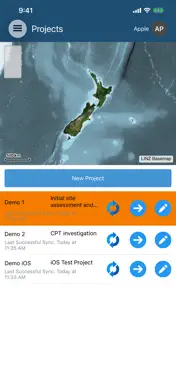
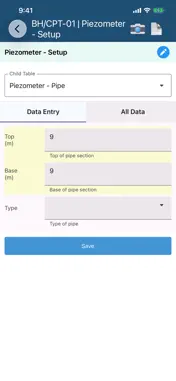
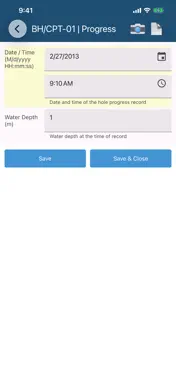
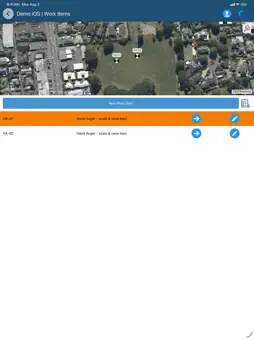
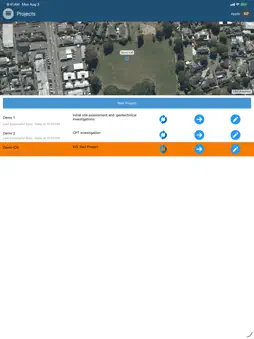
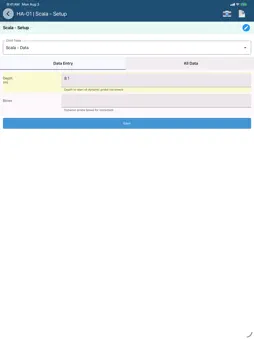
CORE-GS MOBILE requires an existing CORE-GS database configured for the SYNC API. If you don't already have one set up, contact Geroc ([email protected]). CORE-GS MOBILE brings many of the tools our users rely on in the office onto mobile devices, giving them the option to collect data electronically in the field. Key in its development was bringing familiarity from CORE-GS (desktop) to mobile platforms, making data navigation and input simple, and providing seamless data transfer back to the office. CORE-GS MOBILE provides all the tools needed to quickly record data on site of virtually any type, ranging from subsurface investigations to monitoring, and quickly transfer the results for review and reporting. Key features: - View Work Items (i.e. points) and update coordinates via the map control. - View all data associated to a Work Item in the Work Item Summary. - Use the Navigator tool to quickly find tables or create new data. - Concentrate on the properties of a material and let the Description Builder take care of the text formatting (i.e. NZGS / AS 1726). Supports soil, rock and discontinuity descriptions. - The Auto Increment tool makes entering DCP/Scala data as simple as possible - just input the blows and press save; once saved the depth of the next record is automatically added to the form. - Avoid depth overlaps / gaps in your data and reduce data input with the Continuous Range process. - Capture assessment photos from any view, ready for transfer. - Generate and preview reports directly on your device. - Sync and report generation continue running if you background the app, so long field sessions aren't interrupted. - Data can be exported to XML format for import into your database via desktop versions of CORE-GS or other applications/processes.
What's New
Version 2.0.5 2026-11-18
Fixed System and Division data silently no longer syncing after sync settings changed on the server More reliable sync: clearer “Sync failed” messages, and the ...Fixed System and Division data silently no longer syncing after sync settings changed on the server More reliable sync: clearer “Sync failed” messages, and the sync history is recorded correctly again Work item Summary now shows SQL views, and you can edit them where the database allows it Records with duplicate keys are marked on the Summary, and saving a duplicate is blocked until it’s fixed New rows can fill in the signed-in user automatically You can now pick a photo from the gallery on devices without a camera The app stays signed in when opened offline Fixed crashes when tapping the map and opening the Description field. Technical Analysis
Package Overview Basic metadata
Bundle ID
biz.geroc.coregs Current Version 2.0.5
Minimum iOS 15.0
Package Size App Store Size
Package Metadata 0 / 0 version records
Detailed binary, privacy manifest, framework, and Info.plist results have not been indexed for this package yet. The verified App Store and archive metadata above remains available.
Developer Information
Known Version Records
0 version records with stored package metadata
Stored metadata does not guarantee a package is currently available to download.
| Details | Version / IDs | Version date | Action |
|---|