Preview


Description
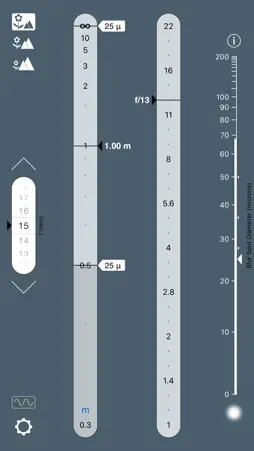
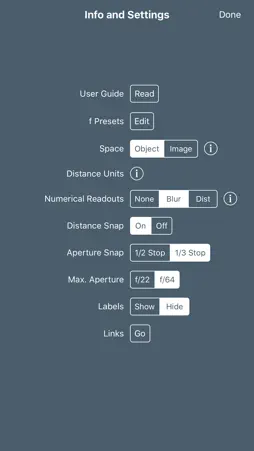
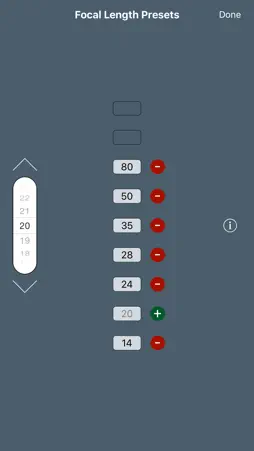
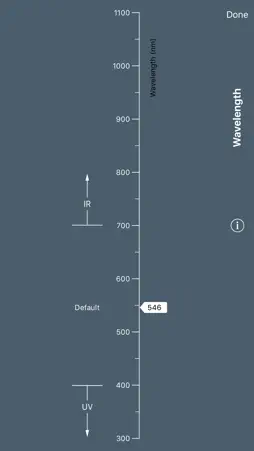
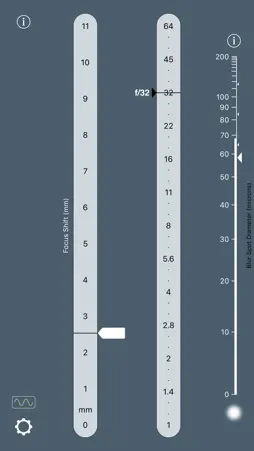
OptimumCS-Pro is the unique Optimum Camera Settings tool for imaging professionals — for photographers, cinematographers and videographers. As a professional, you spend a fortune on quality optics — OptimumCS-Pro helps you use that expensive gear to its full potential. In all imaging work where you require the sharpest possible image across a depth range, OptimumCS-Pro is far superior to any depth of field calculator. You know that stopping down decreases image blur caused by defocus, but you also know that, on the other hand, it increases blur caused by diffraction. So you don't want to stop down too far. What, then, is the optimum aperture? And what is the optimum focus distance? OptimumCS-Pro is designed to answer precisely those questions. And it alone gets the workflow right: • Decide what are the nearest and furthest objects in your scene that need to be sharp. • Set their distances in OptimumCS-Pro, and set the focal length of your lens. • The app instantly displays the focus distance and aperture that minimise the combined effects of defocus blur and diffraction. Yes, you'll have the sharpest image across the desired depth that the laws of physics will allow (and therefore, in all cases, sharper than what you'll get via traditional practice). But what's also great is that it couldn't be any easier, simpler and faster! OptimumCS-Pro's instant results are perfect for creative professionals who don’t want their tools to get in the way of their work or their art. In addition to the basic outputs, OptimumCS-Pro displays image sharpness information, so you'll know if your shot will be sharp enough to meet your needs. Also included is data on shooting at other than optimal settings. Can’t shoot at the optimum aperture, because, for example, you need a faster shutter speed afforded by a wider aperture? You’ll know exactly what the effect of your decisions will be. A few words on the "pro" version: OptimumCS-Pro retains the elegant, uncluttered look of OptimumCS, adds expanded functionality and adds options to configure functionality to better meet your individual needs: • User-definable focal length presets allow lightning-fast focal length selection. • Numerical readouts for distances and aperture complement the analog scales. • The optimum aperture snaps to your choice of the nearest 1/3 stop or the nearest 1/2 stop. • The aperture scale shows 1/3 stop or 1/2 stop markers (user selectable). • The aperture scale can be set to display apertures to f/22 or f/64. • Several different distance scales, emphasising near or far distances, are available, as is one for use with Hansma’s focus shift method in large format photography. • An optional "distance snap" function makes the distance slider even easier to use. • The facility to set wavelength is available for those working in the infrared or ultraviolet part of the spectrum. • The wavelength selection button gives a visual indication of the spectral range in which you are working (visible, IR or UV). • A marker can be placed on the blur spot diameter scale as a reminder of what you consider acceptable blur sizes. For further information on the right tool for the job, check out "Best Practice in Working With Depth of Field" at www.georgedouvos.com
What's New
Version 6.1 2018-09-26
This is a wee update to bring support for iOS 12 and the various new iPhone X models. Don't forget the key Version 6.0 updates: *The interface gets an even clea... Technical Analysis
Package Overview Basic metadata
Bundle ID
com.douvos.OptimumCSP Current Version 6.1
Minimum iOS 12.0
Package Size App Store Size
Package Metadata 0 / 11 version records
4.8 / 5.0 (8 ratings)
Detailed binary, privacy manifest, framework, and Info.plist results have not been indexed for this package yet. The verified App Store and archive metadata above remains available.
Price History (USA store)
2 recorded price change points. These are historical observations, not a guarantee of the current price.
| Recorded at | Price | Currency |
|---|---|---|
| 0.0 | USD | |
| 9.99 | USD |
Developer Information
Known Version Records
0 version records with stored package metadata • 11 known version records
Stored metadata does not guarantee a package is currently available to download.
| Details | Version / IDs | Version date | Action |
|---|---|---|---|
| Not archived | App Store ID: 828687877 | Unknown | Paid / Arcade |
| Not archived | App Store ID: 828502347 | Unknown | Paid / Arcade |
| Not archived | App Store ID: 824257107 | Unknown | Paid / Arcade |
| Not archived | App Store ID: 820381481 | Unknown | Paid / Arcade |
| Not archived | App Store ID: 818358575 | Unknown | Paid / Arcade |
| Not archived | App Store ID: 44522672 | Unknown | Paid / Arcade |
| Not archived | App Store ID: 16748105 | Unknown | Paid / Arcade |
| Not archived | App Store ID: 9196635 | Unknown | Paid / Arcade |
| Not archived | App Store ID: 8381633 | Unknown | Paid / Arcade |
| Not archived | App Store ID: 4016867 | Unknown | Paid / Arcade |
| Not archived | App Store ID: 3724564 | Unknown | Paid / Arcade |