Preview








Description
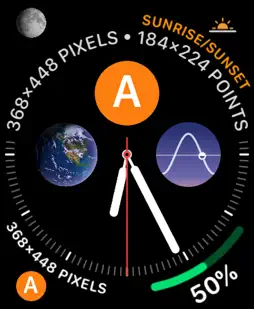
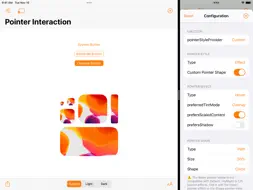
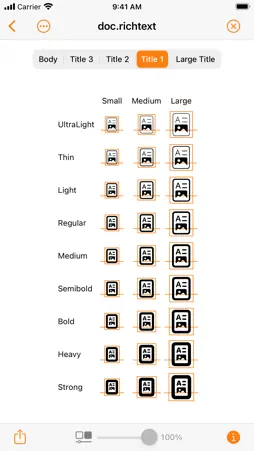
Adaptivity is an invaluable tool for developers and designers. Use it to visualize how Size Classes and margins for layout, readable content and the safe area look on real devices and how they change with respect to orientation, iPad multitasking and Dynamic Type size changes. A comprehensive System Images browser shows the different SF Symbols data sets across iOS versions with availability, localization and name change information. There are also views for visualizing Dynamic Type styles, System Colors, System Fonts and System Materials. TESTIMONIALS • “Adaptivity is not just highly recommended – it’s essential” — Paul Hudson, Hacking With Swift article “8 essential apps for iOS developers”, 30th March 2020. • “It's a very, very good tool as a reference for both developers and designers” — Gui Rambo, Stacktrace podcast episode #77, 1st April 2020. • “I'm not trying to spend your money, but to me this is a no-brainer” — Sean Allen YouTube video “Indie Dev Apps”, 12th April 2020. MAIN FEATURES • Visualize sizes for full view, layout margins, readable content guide and safe area layout guide. • Sizes displayed in points or pixels. • Regular or large navigation bar titles. • Toggle status bar and navigation bar/toolbar/tab bar visibility. • Activity View Controller support for sharing a snapshot image of each view. • iPad multitasking and multiple window support (see note). • Dark appearance support (requires iOS/iPadOS 13 or later). • Setting to force right-to-left layout. • Keyboard shortcuts. • Keyboard navigation (requires iPadOS 15 or later). • Handoff actions from Adaptivity (A), (B) or (C) on one device to Adaptivity (A) on another. • External display support. OTHER VIEWS • Popover, Form/Page Sheet, Full Screen and Automatic modal presentations. • Customise Sheet Presentations on iOS/iPadOS 15 or later. • Tab Bar Controller. • Table View Controller. • Classic style Split View Controller. • Double and triple column style Split View Controllers (requires iOS/iPadOS 14 or later). • Keyboard Dodging and Custom Keyboard. • Dynamic Type styles for the current Content Size Category. • Explore Pointer Interactions (requires iPadOS 13.4 or later and a trackpad or mouse). • Explore System Colors. • Explore System Fonts. • Explore System Images (requires iOS/iPadOS 13 or later). Choose which SF Symbols data set to view, configure rendering modes and much more. • Explore System Materials (requires iOS/iPadOS 13 or later). EXTENSION TARGETS • Siri shortcut with custom response UI (requires iOS 12 or later). • Pre- and post-iOS 14 style Widgets to show layout. • iOS 14 style Widgets to show random System Images. • iOS 14 style Widgets to show Dynamic Type text styles. • iOS 16 lock screen Widgets to show layout. • iOS 16 lock screen Widgets to show random System Images. • Notification Content Extension. • Watch App (requires watchOS 4 or later). • iMessage App. Note: Adaptivity (A) supports multiple windows on iPadOS 13 or later. On earlier iOS versions, Adaptivity (B) must also be downloaded to run Adaptivity twice using Split View or Slide Over iPad multitasking. Adaptivity (A) is a universal purchase and includes a Mac Catalyst version of the app. Buying one allows the other to be downloaded at no extra cost using the same Apple ID. Adaptivity (C) has the same reduced features as Adaptivity (B) but only supports iPhone. Use it to visualize how an iPhone‑only app appears on iPad. For more information see https://hacknicity.com/adaptivity
What's New
Version 9.5 2023-02-20
This app has been updated by Apple to prepare for watchOS 27 compatibility. No new features are included. SYSTEM IMAGES • Updated data for those living in the ...This app has been updated by Apple to prepare for watchOS 27 compatibility. No new features are included. SYSTEM IMAGES • Updated data for those living in the future. If you find Adaptivity (A) useful, please rate or review it in the App Store, or recommend it other developers and designers. The app was first released in 2015 and I have never charged for a new version. Any additional contributions to the Tip Jar, big or small, are very welcome and will help keep it that way. This makes a huge difference to me and the future of the app. Thanks in advance, Geoff. Version 9.4 2023-02-03
SYSTEM IMAGES • Context menu title now includes the categories in which the symbol can be found (if any). • Added Uncategorized smart collection containing all ...SYSTEM IMAGES • Context menu title now includes the categories in which the symbol can be found (if any). • Added Uncategorized smart collection containing all symbols that are not included in any category. • The "All", "What's New", "Multicolor", "Hierarchical / Palette" and "Variable" categories are ignored for these purposes. If you find Adaptivity (A) useful, please rate or review it in the App Store, or recommend it other developers and designers. The app was first released in 2015 and I have never charged for a new version. Any additional contributions to the Tip Jar, big or small, are very welcome and will help keep it that way. This makes a huge difference to me and the future of the app. Thanks in advance, Geoff. Version 9.3 2022-11-18
• Settings screen and other Configuration screens have a Reset button to restore default settings. • Added External Display setting. Disabling this allows Stage...• Settings screen and other Configuration screens have a Reset button to restore default settings. • Added External Display setting. Disabling this allows Stage Manager to be used on an external display when running the app on the device display. If you find Adaptivity (A) useful, please rate or review it in the App Store, or recommend it other developers and designers. The app was first released in 2015 and I have never charged for a new version. Any additional contributions to the Tip Jar, big or small, are very welcome and will help keep it that way. This makes a huge difference to me and the future of the app. Thanks in advance, Geoff. Version 9.2.1 2022-10-26
SYSTEM COLORS • The SwiftUI name is now shown and can be copied to the clipboard. SYSTEM IMAGES • Includes the latest iOS/iPadOS 16.1 data set. If you find Ad...SYSTEM COLORS • The SwiftUI name is now shown and can be copied to the clipboard. SYSTEM IMAGES • Includes the latest iOS/iPadOS 16.1 data set. If you find Adaptivity (A) useful, please rate or review it in the App Store, or recommend it other developers and designers. The app was first released in 2015 and I have never charged for a new version. Any additional contributions to the Tip Jar, big or small, are very welcome and will help keep it that way. This makes a huge difference to me and the future of the app. Thanks in advance, Geoff. Version 9.2 2022-10-20
SYSTEM COLORS • The SwiftUI name is now shown and can be copied to the clipboard. SYSTEM IMAGES • Includes the latest iOS/iPadOS 16.1 data set. If you find Ad...SYSTEM COLORS • The SwiftUI name is now shown and can be copied to the clipboard. SYSTEM IMAGES • Includes the latest iOS/iPadOS 16.1 data set. If you find Adaptivity (A) useful, please rate or review it in the App Store, or recommend it other developers and designers. The app was first released in 2015 and I have never charged for a new version. Any additional contributions to the Tip Jar, big or small, are very welcome and will help keep it that way. This makes a huge difference to me and the future of the app. Thanks in advance, Geoff. Version 9.1.1 2022-10-01
SYSTEM IMAGES • Updated data for those living in the future. If you find Adaptivity (A) useful, please rate or review it in the App Store, or recommend it oth...SYSTEM IMAGES • Updated data for those living in the future. If you find Adaptivity (A) useful, please rate or review it in the App Store, or recommend it other developers and designers. The app was first released in 2015 and I have never charged for a new version. Any additional contributions to the Tip Jar, big or small, are very welcome and will help keep it that way. This makes a huge difference to me and the future of the app. Thanks in advance, Geoff. Version 9.1 2022-09-29
SYSTEM IMAGES • Updated data for those living in the future. If you find Adaptivity (A) useful, please rate or review it in the App Store, or recommend it oth...SYSTEM IMAGES • Updated data for those living in the future. If you find Adaptivity (A) useful, please rate or review it in the App Store, or recommend it other developers and designers. The app was first released in 2015 and I have never charged for a new version. Any additional contributions to the Tip Jar, big or small, are very welcome and will help keep it that way. This makes a huge difference to me and the future of the app. Thanks in advance, Geoff. Version 9.0 2022-09-10
MAIN WINDOW • Context Menu demonstrates an action which does not dismiss the menu and small/medium element sizes on iOS 16. MORE ACTIONS • Customise the sheet ...MAIN WINDOW • Context Menu demonstrates an action which does not dismiss the menu and small/medium element sizes on iOS 16. MORE ACTIONS • Customise the sheet presentation controller with fixed and proportional height detents on iOS 16. SYSTEM IMAGES • Added support for automatic render mode and variable color on iOS 16. SYSTEM FONTS AND DYNAMIC TYPE • View the five system font widths (standard, condensed, compressed, expanded and extra expanded) on iOS 16. IOS 16 LOCK SCREEN WIDGETS • Layout. • Random System Image from the most recent data set supported by your device. TIP JAR • Adaptivity was first released in 2015 and I have never charged for a new version. Any additional contributions, big or small, are very welcome and will help keep it that way. If you find Adaptivity (A) useful, please rate or review it in the App Store, or recommend it other developers and designers. This makes a huge difference to me and the future of the app. Thanks in advance, Geoff. Version 8.12 2022-07-29
SYSTEM IMAGES • The minimum iOS version for availability annotations is now configurable. • Updated data for those living in the future. If you find Adaptivity...SYSTEM IMAGES • The minimum iOS version for availability annotations is now configurable. • Updated data for those living in the future. If you find Adaptivity (A) useful, please rate or review it in the App Store, or recommend it other developers and designers. This makes a huge difference to me and the future of the app. Thanks in advance, Geoff. Version 8.11 2022-07-11
SYSTEM IMAGES • Updated data for those living in the future. If you find Adaptivity (A) useful, please rate or review it in the App Store, or recommend it othe...SYSTEM IMAGES • Updated data for those living in the future. If you find Adaptivity (A) useful, please rate or review it in the App Store, or recommend it other developers and designers. This makes a huge difference to me and the future of the app. Thanks in advance, Geoff. App Store User Reviews
oriyentel 2022-12-22
Just Buy It
absolutely invaluable tool for developers of any Apple platform. reading docs, tutorials, HIG, etc is one thing. but actually being able to see, play with, and ...absolutely invaluable tool for developers of any Apple platform. reading docs, tutorials, HIG, etc is one thing. but actually being able to see, play with, and explore all the platform provided UI mechanisms on an actual device provides nearly limitless inspiration for my own apps. there’s just sooooo many nice things about this tool, trust me it’s worth it’s price of entry. this is one of a few dev tools i’m happy and eager to recommend to fellow devs and coworkers
David Dunham 2020-11-19
Handy Tool for Developers
Extremely thorough interactive examples of all sorts of UIKit layout. I don’t use it often, but when I need to (like today), it saves a ton of time. (Today I w...Extremely thorough interactive examples of all sorts of UIKit layout. I don’t use it often, but when I need to (like today), it saves a ton of time. (Today I was playing with pointer interaction—when I said thorough, I meant it.) And there’s a detailed manual!
Drew Olbrich 2020-09-24
Worth paying for
This app saved me a boatload of design and development time, which is pretty amazing because I don’t own a boat.
sibruno 2019-09-23
The Missing Developer Tool
Fantastic app - avoids the need to dig through tons of example documentation and create sample projects. Great idea and thank you!
dokun1 2022-09-30
Amazing dev utility
Thank you for making this, and for making it as good as it is!
app_whiz 2017-11-10
Wonderful
Thank you!
Z3000 2023-12-31
Great Dev app!
Even if you don't need the measurement tools - this is a great way to find system fonts and colors and smart collections of SF symbols. Buy this app - it will h...Even if you don't need the measurement tools - this is a great way to find system fonts and colors and smart collections of SF symbols. Buy this app - it will help you somewhere!
sdt33 2020-08-16
Instant buy
Great app, essential resource.
jamiejenkins 2022-03-19
Perfect. Essential. Timely.
@Apple hire this developer to help write all your documentation and make example apps.
Technical Analysis
Package Overview Basic metadata
Bundle ID
com.hacknicity.adaptivity.a Current Version 9.5
Minimum iOS 11.0
Package Size App Store Size
Package Metadata 1 / 85 version records
Detailed binary, privacy manifest, framework, and Info.plist results have not been indexed for this package yet. The verified App Store and archive metadata above remains available.
Related Apps


More by Geoff Hackworth


Developer Information
Known Version Records
1 version record with stored package metadata • 85 known version records
Stored metadata does not guarantee a package is currently available to download.
| Details | Version / IDs | Version date | Action |
|---|---|---|---|
| Not archived | App Store ID: 817968798 | Unknown | Paid / Arcade |
| Not archived | App Store ID: 817671472 | Unknown | Paid / Arcade |
| Not archived | App Store ID: 816561003 | Unknown | Paid / Arcade |
| Not archived | App Store ID: 814882407 | Unknown | Paid / Arcade |
| Not archived | App Store ID: 814549641 | Unknown | Paid / Arcade |