Preview



Description
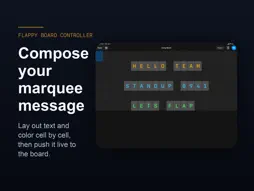
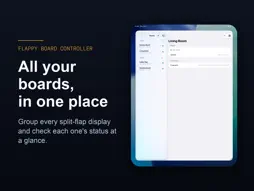
Flappy Board Controller is the companion remote for Flappy Board — the app that turns your iPhone, iPad, or Apple TV into a stunning split-flap display. Pair with a Flappy Board display in seconds by scanning the QR code shown on screen, then send messages wirelessly from your pocket. No IP addresses, no tokens to copy — just point your camera and connect. FEATURES • Instant pairing — scan the QR code on any Flappy Board display to connect over your local network • Send messages — type and push text to your board with a tap • Manage multiple boards — save the displays you connect to and switch between them • Stays in sync — your paired boards follow you across devices with iCloud • Secure by default — connects over your board's encrypted local HTTPS API with Bearer token authentication Flappy Board Controller requires a Flappy Board display running on another device. Download Flappy Board to set one up.
What's New
Version 1.1.0 2026-10-19
- Siri and Shortcuts: send a message to a paired board or clear it by voice — try "Update Kitchen with FB Remote" - Messages sent from Siri are centered on the ...- Siri and Shortcuts: send a message to a paired board or clear it by voice — try "Update Kitchen with FB Remote" - Messages sent from Siri are centered on the board, with wrapped lines balanced - The home-screen name is now "FB Remote" so it no longer gets cut off; "Flappy Board Controller" still works with Siri Technical Analysis
Package Overview Basic metadata
Bundle ID
com.generalfuturics.FlappyBoardController Current Version 1.1.0
Minimum iOS 18.0
Package Size App Store Size
Package Metadata 0 / 0 version records
Detailed binary, privacy manifest, framework, and Info.plist results have not been indexed for this package yet. The verified App Store and archive metadata above remains available.
Developer Information
Known Version Records
0 version records with stored package metadata
Stored metadata does not guarantee a package is currently available to download.
| Details | Version / IDs | Version date | Action |
|---|