
Preview




Description
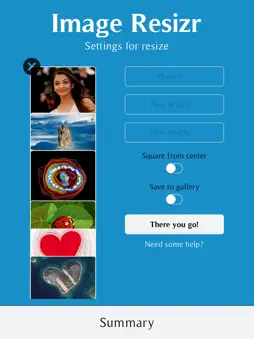
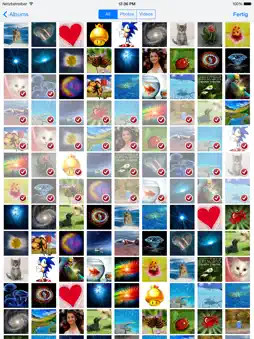
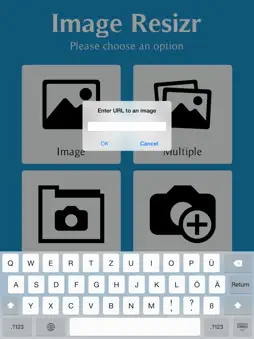
Resize and compress photos in a native app for iPhone and iPad. Choose Photos, a web URL or the camera, then preview your changes before resizing. :: Size and presets Use pixels, percentages or the longest edge. Choose Fit, Fill, Pad, Stretch or a centered square crop, and save your own presets. :: File size and formats Export JPEG, PNG or HEIC. Set a KB/MB limit and minimum quality; allow smaller dimensions when needed. Unreachable limits are reported. :: Real preview Compare original and resized images, dimensions and actual file sizes before starting. :: Transparency and metadata Keep PNG transparency or choose a background color. Photo details are optional, with GPS off by default. :: Large batches with Pro Unlock multiple-image resizing with a one-time in-app purchase. Follow progress, pause and resume after restarting; completed results stay saved. :: Saved images and export See results automatically in Saved Images. Export selected images or all results to a chosen Photos album or Files/iCloud, with readable filenames. :: Language and help Change the app's supported language without restarting. Find help, Free/Pro status, upgrade and restore in Settings. :: On-device resizing Resizing runs locally. Web imports, iCloud and purchases need internet. Animated sources are saved as still images.
What's New
Version 5.0 2026-11-11
5.0 Resize and compress photos in a native app for iPhone and iPad. - Size and presets: Use pixels, percentages or the longest edge. Choose Fit, Fill, Pad, St...5.0 Resize and compress photos in a native app for iPhone and iPad. - Size and presets: Use pixels, percentages or the longest edge. Choose Fit, Fill, Pad, Stretch or a centered square crop, and save your own presets. - File size and formats: Export JPEG, PNG or HEIC. Set a KB/MB limit and minimum quality; allow smaller dimensions when needed. Unreachable limits are reported. - Real preview: Compare original and resized images, dimensions and actual file sizes before starting. - Transparency and metadata: Keep PNG transparency or choose a background color. Photo details are optional, with GPS off by default. - Large batches with Pro: Unlock multiple-image resizing with a one-time in-app purchase. Follow progress, pause and resume after restarting; completed results stay saved. - Saved images and export: See results automatically in Saved Images. Export selected images or all results to a chosen Photos album or Files/iCloud, with readable filenames. - Language and help: Change the app's supported language without restarting. Find help, Free/Pro status, upgrade and restore in Settings. - On-device resizing: Resizing runs locally. Web imports, iCloud and purchases need internet. Animated sources are saved as still images. Technical Analysis
Package Overview Basic metadata
Bundle ID
de.geekme.imageresizer Current Version 5.0
Minimum iOS 17.0
Package Size App Store Size
Package Metadata 0 / 7 version records
1.0 / 5.0 (1 ratings)
Detailed binary, privacy manifest, framework, and Info.plist results have not been indexed for this package yet. The verified App Store and archive metadata above remains available.
Known Version Records
0 version records with stored package metadata • 7 known version records
Stored metadata does not guarantee a package is currently available to download.
| Details | Version / IDs | Version date | Action |
|---|---|---|---|
| Not archived | App Store ID: 894972081 | Unknown | Request Version |
| Not archived | App Store ID: 887040726 | Unknown | Request Version |
| Not archived | App Store ID: 841456214 | Unknown | Request Version |
| Not archived | App Store ID: 813798654 | Unknown | Request Version |
| Not archived | App Store ID: 601974654 | Unknown | Request Version |
| Not archived | App Store ID: 570902670 | Unknown | Request Version |
| Not archived | App Store ID: 501072859 | Unknown | Request Version |