
Preview



Description
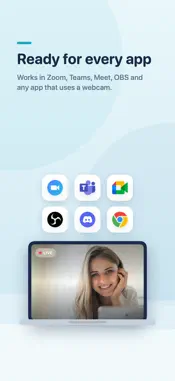
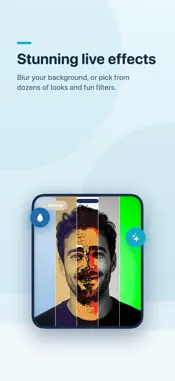
TapCam turns your iPhone into a sharp, low latency wireless webcam for your Windows PC. Your phone camera almost always beats a built in laptop webcam, and TapCam sends that video straight to your computer over your local Wi-Fi, or through a USB cable for the most stable link. Once connected, TapCam appears as a normal camera on your PC, so you can pick it in Zoom, Microsoft Teams, Google Meet, OBS, and any app that uses a webcam. HOW IT WORKS 1. Install the free TapCam app on your Windows PC. 2. Open TapCam on the PC. It shows a QR code. 3. Scan the QR code with this app. That is it, you are live. FEATURES - Sharp H.264 video over local Wi-Fi, tuned for low latency. - Connect wirelessly over Wi-Fi, or plug in a USB cable for a rock solid link with no Wi-Fi needed. - Front and back cameras, pinch to zoom, tap to focus, torch. - Live background blur and color replacement, plus a large set of stylish looks and fun effects, previewed right on your phone. - Manual white balance and ISO where the camera supports it. - Also a baby monitor or home camera: point the phone at the crib, a room, or a pet, and watch live on your PC. - Automatic reconnect, and one tap to reconnect to your last PC. - Clean, simple interface. No account, no sign up. REQUIREMENTS - The free TapCam companion app on a Windows PC. - The phone and the PC on the same local Wi-Fi network, or connected with a USB cable. TapCam streams only to your own PC on your local network. Your video never goes through our servers.
What's New
Version 1.4.1 2026-11-15
What's new in 1.4.1: • When the PC you stream to already has its own TapCam Pro, the Pro card in Settings now tells you there is nothing to buy for it. • Reconn...What's new in 1.4.1: • When the PC you stream to already has its own TapCam Pro, the Pro card in Settings now tells you there is nothing to buy for it. • Reconnecting after a Wi-Fi drop no longer flashes the "Connecting…" screen. • The PC now shows recent iPhones by name, the iPhone 17 range included. • Closing the Apple Account sign-in from "Restore purchases" no longer says that no purchase was found. • Small fixes. Technical Analysis
Package Overview Basic metadata
Bundle ID
net.gaudin.tapcam Current Version 1.4.1
Minimum iOS 18.0
Package Size App Store Size
Package Metadata 0 / 0 version records
Detailed binary, privacy manifest, framework, and Info.plist results have not been indexed for this package yet. The verified App Store and archive metadata above remains available.
Developer Information
Known Version Records
0 version records with stored package metadata
Stored metadata does not guarantee a package is currently available to download.
| Details | Version / IDs | Version date | Action |
|---|